


A practical, repeatable workflow for production and lab teams-covering calibration, RF measurements, pass/fail limits, and automated reporting.
Frequency Calibration and Bluetooth Performance Testing
- Frequency Calibration The goal of frequency calibration is to adjust the DUT's carrier frequency offset into an acceptable range, and write the calibration parameters into the device so the settings remain effective after power-off and reboot. Frequency calibration compensates for crystal/reference clock error, converging the frequency offset to the target range. This helps avoid packet loss, reduced range, and interoperability issues caused by frequency offset/drift, and improves consistency in mass production.
- Bluetooth Performance Testing Bluetooth performance testing verifies metrics such as transmit power, frequency offset, and receiver sensitivity-key factors that determine connectivity capability and interference robustness. In R&D it helps locate bottlenecks; in mass production it helps control yield and enable data traceability-upgrading devices from "can connect" to "connects reliably and farther." In mass production, considering cost, efficiency, and risk control, the primary focus is typically on three test items:
- Output Power: Directly affects connection range and also reflects production consistency.
- Initial Carrier Frequency Tolerance: Checks whether carrier frequency error meets requirements. It is fundamental to interoperability and stability, and can be used to verify the effectiveness of frequency calibration.
- Single Slot Sensitivity: Weak-signal reception capability-one of the key indicators for stability in complex environments and/or at long distances.
Test System: QuickRadio + MT8852B Bluetooth Tester
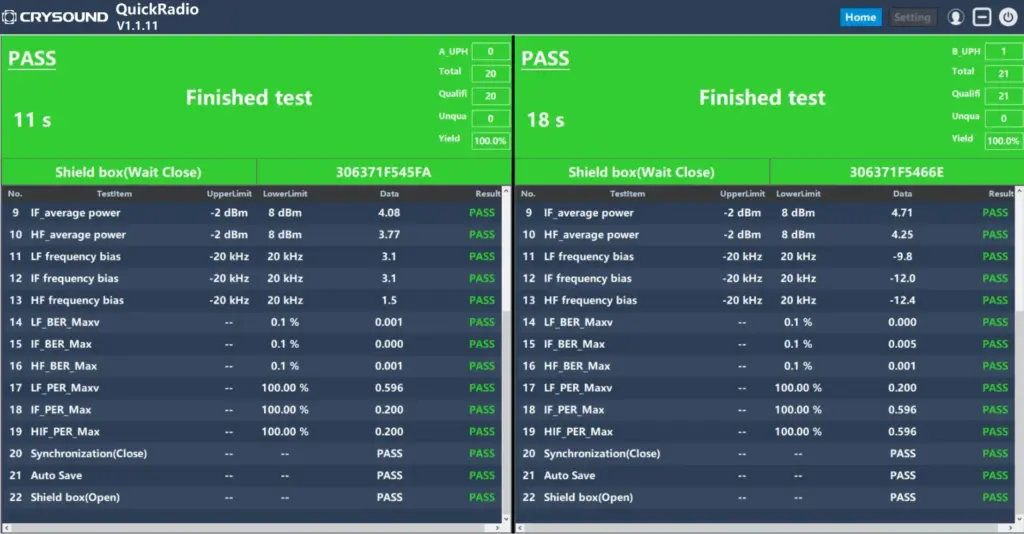
QuickRadio provides a powerful platform that can test RF front-end interactions. QuickRadio supports multiple preconfigured sequence templates, making it easy to customize RF test workflows as well as charging-case and fixture control. Its innovative, highly adaptable UI allows seamless customization to meet the needs of different roles in an organization. This enables expert users and production operators to collaborate efficiently, improving overall throughput and productivity.
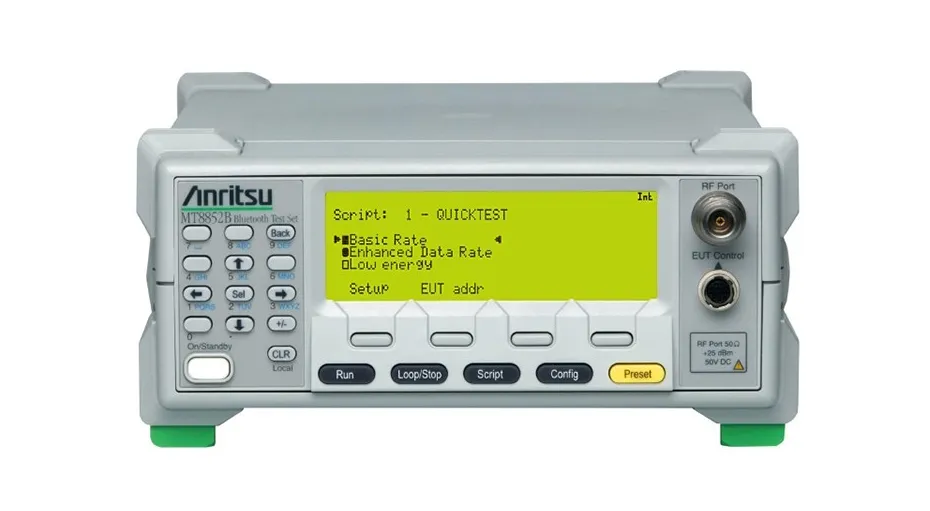
The Anritsu MT8852B Bluetooth tester is a market-leading RF measurement instrument used for both R&D validation and production testing of various Bluetooth products. It supports Basic Rate (BR), Enhanced Data Rate (EDR), and Low Energy (LE) measurements, including the transmit power, frequency, modulation, and receiver sensitivity required by Bluetooth RF test specifications.
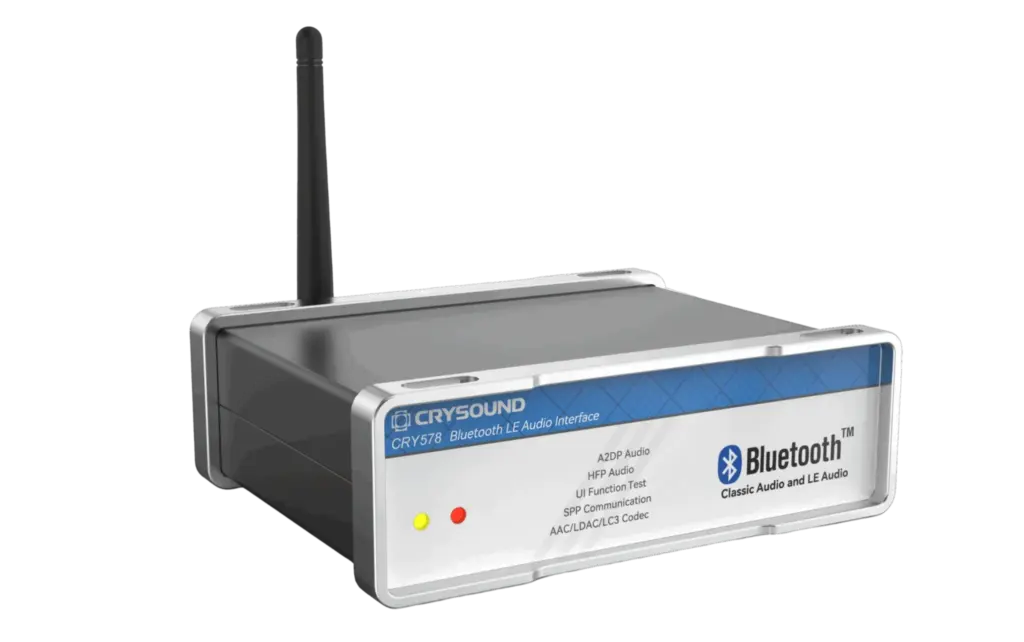
Device Under Test: CRY578 Bluetooth LE Audio Interface
The CRY578 Bluetooth LE Audio Interface is a Bluetooth device designed specifically for Bluetooth audio and user interface testing. It has been upgraded to Bluetooth v5.4 and supports LE Audio features. It is suitable for both R&D labs and production-line testing. It can work with the CRY6151B audio analyzer, or serve as a standalone module integrated with other test equipment. Users can control the CRY578 via Sonolab software or the standalone CRY578 Tool to perform scanning, pairing, connecting, audio playback, recording, and more.
Test Procedure
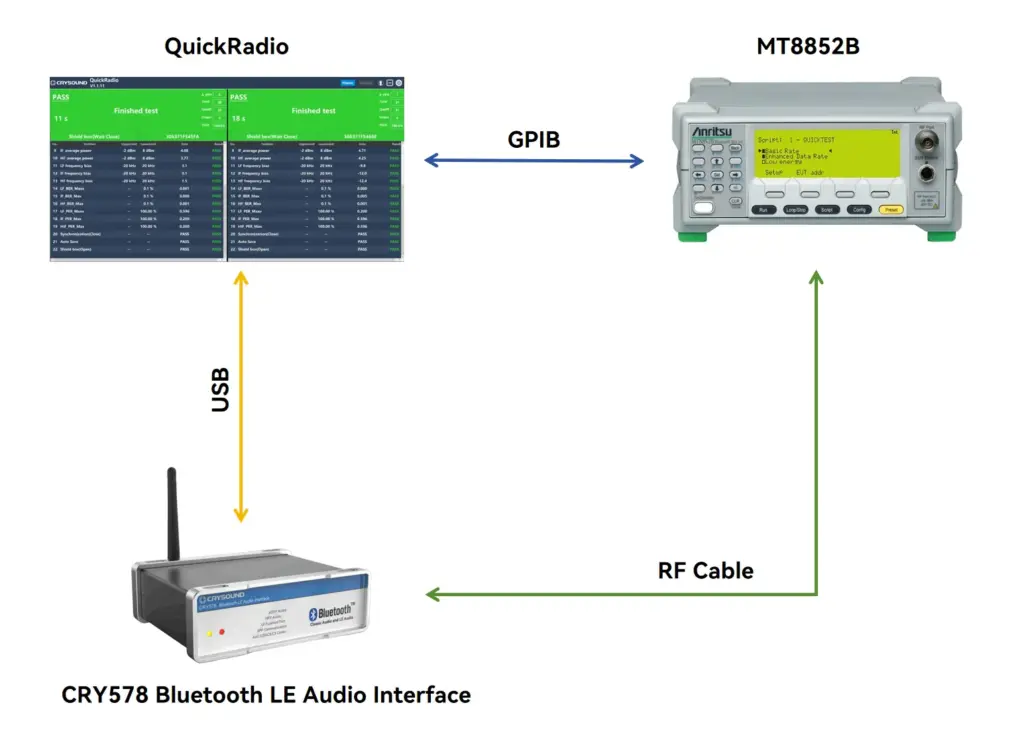
Build the Test Setup
- PC ↔︎ MT8852B (control link): QuickRadio controls the tester, launches scripts, and reads results.
- PC ↔︎ CRY578 (control link): Switches CRY578 modes, writes calibration values, and reads status/version info.
- MT8852B ↔︎ CRY578 (RF link): Use a cabled connection (DUT RF port → cable → tester RF port) for better repeatability and traceability.
Put the Tester and DUT Into Calibration Mode
- Set MT8852B to CW Mode Frequency calibration requires stable frequency-offset measurement. QuickRadio switches the MT8852B to the measurement configuration suitable for calibration and loads parameters such as the frequency channel.
- Set CRY578 to Single-Frequency Transmission Mode CRY578 transmits a single-frequency signal (fixed channel, fixed power level, continuous/quasi-continuous transmission) so the tester can read the frequency offset stably.
Find and Update the Calibration Value
- How to Find the Calibration Value QuickRadio supports scripting the loop of "measure frequency offset → adjust trim → re-measure." A common approach is the binary search method, which converges robustly and is well-suited for production consistency.
- How to Modify the Calibration Value Temporary update + use during test (effective at runtime) Permanent programming + reboot verification (write into NVM/Flash; still effective after power-off and reboot)
Test RF Performance
- Switch MT8852B to Classic Bluetooth Test Mode After calibration, switch the MT8852B to the BR/EDR test configuration to execute Classic Bluetooth tests.
- Switch CRY578 to DUT Mode In DUT mode, CRY578 cooperates with the tester to complete transmit/receive actions. QuickRadio logs mode switching, script execution, and results.
Test Results
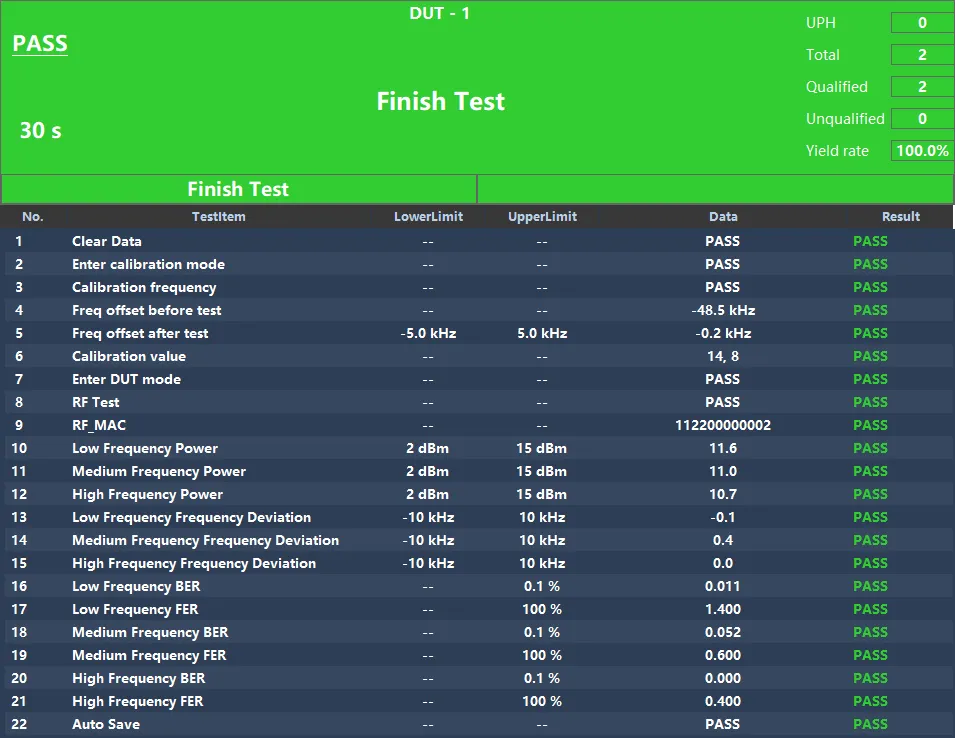
QuickRadio runs the sequence in order and automatically determines pass/fail:
- Mode switching: enter calibration mode, start calibration script
- Calibration stage: pre-calibration frequency offset → post-calibration frequency offset → write frequency calibration value (and display write/execution success)
- Mode switching: enter DUT mode, start RF script
- Three key results:
- Output power (multi-channel points)
- Frequency error / carrier tolerance (multi-channel points)
- Sensitivity-related statistics (shown as BER/FER, etc.)
The top-right of the UI also provides statistics such as UPH (Units Per Hour) and yield, which is useful for real-time line monitoring of takt time and yield.
Save Data
QuickRadio supports automatic saving of test data for R&D analysis and production traceability. Typical saved content includes:
- Device information (serial number/barcode, timestamp, version info)
- Calibration information (before/after comparison, final calibration value, convergence status)
- RF test results (three key datasets and pass/fail verdict)
- Run logs (key commands, mode/state transitions)
Data can be exported as spreadsheets or other formats based on project needs, and can be extended to integrate with MES systems.
Conclusion
- QuickRadio can streamline and standardize frequency calibration and RF test workflows, supporting automated testing for Bluetooth devices such as PCBAs and finished products.
- QuickRadio supports chip platforms including Qualcomm, BES, Realtek, Broadcom, Bluetrum, JieLi, and more; and is compatible with Bluetooth test instruments such as Anritsu MT8852B, Agilent N4010A, R&S CMW500, and R&S CMW100, providing customers with multiple options.
If you are interested in RF testing, please fill out the Get in Touch form below to learn more about our relevant solutions.


