


The audio quality of Bluetooth products is critical, yet traditional manual testing is inefficient and inconsistent. To address this, we leverage the secondary development capabilities of the CRY578 to deliver an efficient, programmable, and automated testing solution.
Core Tool: CRY578 Interface Overview
The CRY578 is a hardware interface specifically designed for audio testing. It functions as a "universal Bluetooth audio source," precisely simulating the behavior of devices like smartphones to establish connections with Bluetooth devices under test and transmit high-quality audio. All operations can be programmatically controlled via serial port commands.
Key Features:
- Protocol Emulation: Supports Classic Bluetooth Audio (BR/EDR) and Low Energy Bluetooth Audio (LE Audio)
- Audio Injection: Functions as a high-fidelity audio source to play custom test signals
- Command Control: Complex state transitions encapsulated into simple serial commands
Technical Specifications:
- Bluetooth Version: v5.4, supports Classic and LE Audio
- Supported Protocols: A2DP, AVRCP, HFP, LE Audio
- Sampling Rate: Up to 96kHz in A2DP mode
- Codecs: SBC, AAC, LDAC, LC3
- Control Interfaces: UART Serial Port, HID, USB Audio
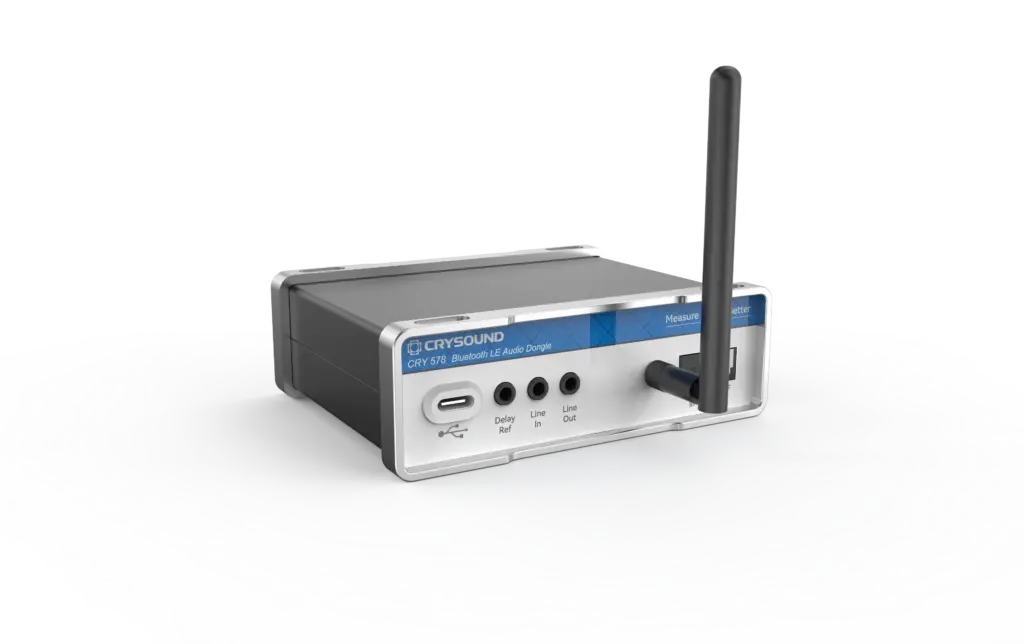
Figure 1. CRY578 Bluetooth LE Audio Interface
Getting Started with Secondary Development: Protocol Logic and Preparatory Work
Building a Basic Automated Test Workflow
The following demonstrates how to build automated testing through a complete "Connect-Playback-Capture-Analyze" workflow.
Step 1: Search and connect to the device
Use the command to search for and connect to the target device:
- Search command:
inquiry\\r\\n - Connection command:
call [MAC address]\\r\\n - Result: A2DP and HFP connections are automatically established upon successful pairing.
Step 2: Audio Playback Control
Control audio stream playback after connection:
- Play/Pause:
set playstatus 1\\r\\n/set playstatus 2\\r\\n - Volume control:
a2dp_volume 80\\r\\n - Audio Injection: Input test signals via USB Audio or Line-in interface
Step 3: Acquisition and Performance Analysis
Capture and analyze the output of the device under test:
- Acoustic Acquisition: Utilize a Head-Attached Test System (HATS) or simulated ears
- Data Analysis: Calculate key audio performance metrics:
- Frequency response curve: Full-band sound reproduction capability
- Total Harmonic Distortion: Playback fidelity assessment
- Signal-to-noise ratio: Ratio of effective signal to background noise
- Channel Separation: Isolation between left and right channels
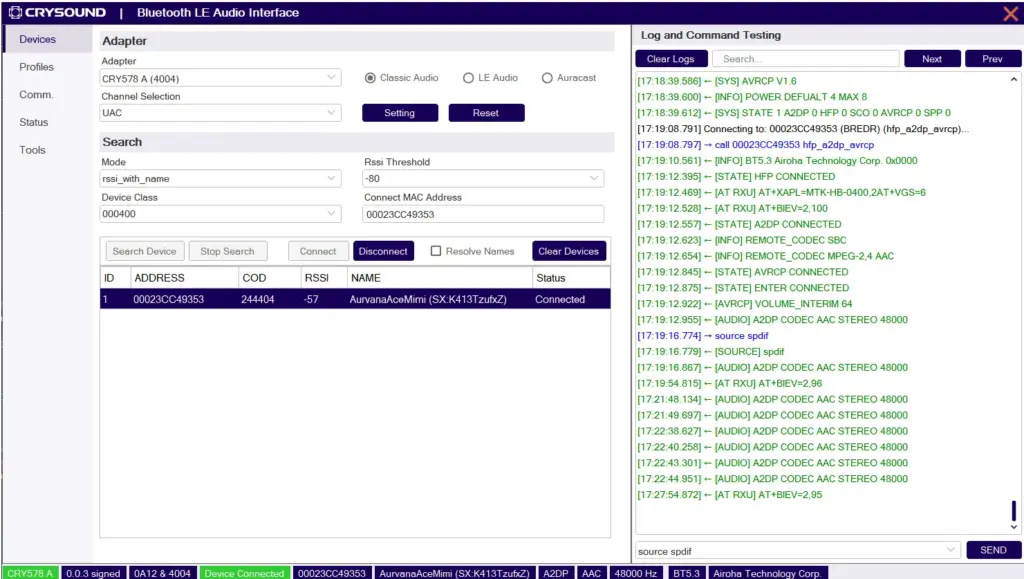
AAC Audio Encoding Performance Testing
As an efficient audio codec format, AAC is the preferred choice for Apple ecosystems and high-end Android devices. This test evaluates device performance in AAC mode to assess its true capabilities in high-fidelity scenarios.
Testing Process:
- Codec Negotiation: Ensures AAC encoding is selected during connection establishment
- Test Signal Preparation: Utilize AAC-encoded test audio files
- Streaming: Transmit AAC data stream to CRY578 via USB Audio
- Decoding and Playback: Device decodes AAC stream and plays it, followed by capture and analysis
Enabling Efficient Bluetooth Audio Testing
The CRY578-based secondary development solution revolutionizes Bluetooth audio testing with the following advantages:
- Exceptional operability: Complex Bluetooth protocol interactions abstracted into simple serial commands
- High Flexibility: Independent of specific operating systems or proprietary software
- Fully Programmable: Supports complex test scenarios (rapid codec switching, call/music switching, stress testing)
If you're grappling with the inefficiency and instability of manual Bluetooth testing, or seeking to enhance product quality and accelerate R&D through automated audio testing, the CRY578-based secondary development solution is your ideal choice. Start today by replacing a series of manual clicks with a string of commands-take the first step toward automating and intelligent Bluetooth audio testing!
If you're interested, please fill out the Get in Touch form below.


