


OpenTest v2.0.0 Beta was released in June. This update introduces Sequence Mode for the first time, adding test workflow orchestration capabilities to OpenTest. Users can now configure steps such as acquisition, analysis, storage, and reporting into repeatable standardized workflows. The new version also improves batch channel parameter setup, project import/export, sound level meter calculation rate settings, and SonoDAQ device management, helping acoustic and NVH testing teams work more efficiently.
For Audio and NVH testing teams, the value of test software is not only whether it can complete a single measurement. A more important question is whether repeated test workflows can be standardized, so different engineers, samples, and production lines can follow consistent test methods and generate consistent outputs.
OpenTest v2.0.0 Beta is upgraded around this need. This version introduces Sequence Mode for the first time, allowing users to build and arrange test workflows on their own. It also enhances frequently used functions such as channel configuration, project migration, sound level meter testing, and SonoDAQ device management, making OpenTest more suitable for R&D validation, sample comparison, production sampling, and automated testing scenarios.
Sequence Mode: Build Test Workflows Freely
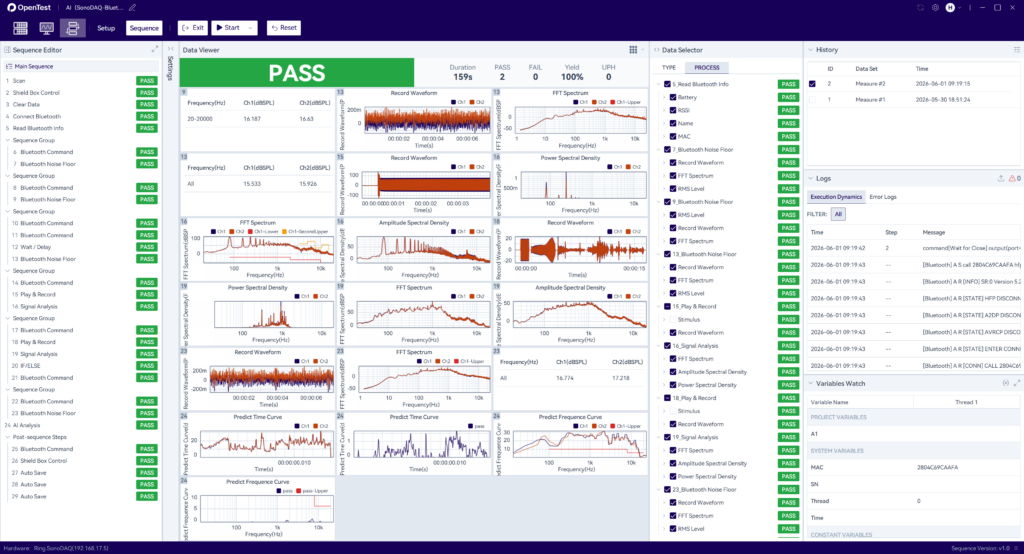
Sequence Mode is the most important update in this release.
It is designed for repetitive testing and production-line testing scenarios. Users can connect steps such as acquisition, analysis, storage, and reporting into a repeatable standard test workflow.
In headphone, speaker, complete product acoustic validation, or production end-of-line testing, engineers often need to repeat the same test items many times. If channel setup, signal acquisition, data analysis, result judgment, and report export are performed manually every time, the process can be inefficient and may introduce operational differences.
With OpenTest Sequence Mode, users can configure these operations as a standard sequence. Future tests can then be executed based on the predefined workflow, reducing repetitive operations, improving consistency, and providing a foundation for automated testing and standardized test management.
OpenTest v2.0.0 Beta supports sequence steps in four categories: hardware control, basic functions, Bluetooth testing, and workflow control. Hardware control includes DAQ channel parameter setup, TEDS, and shield box control. Basic functions include scanning, playback and recording, signal analysis, sweep analysis, post-processing, serial communication, and data parsing. Bluetooth testing includes Bluetooth headphone testing, Bluetooth microphone testing, and Bluetooth noise floor testing. Workflow control includes conditional judgment, grouping, locking, and related process controls.
Batch Setup: Improve Multi-Channel Configuration Efficiency
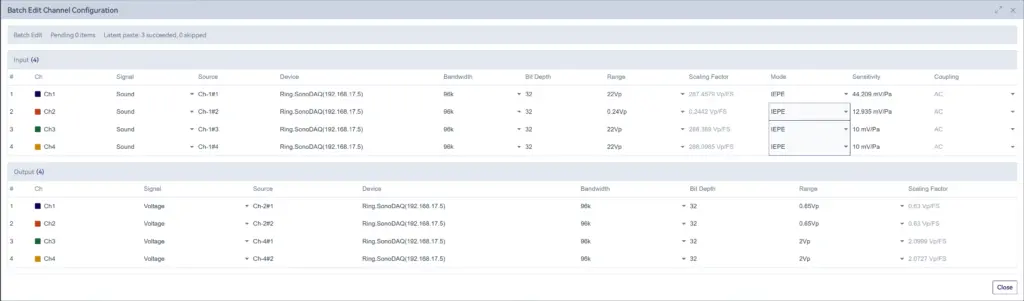
In multi-channel acoustic and vibration testing, channel parameter configuration is often one of the most time-consuming steps before testing starts. Parameters such as signal type, sampling rate, range, IEPE, sensitivity, and coupling mode can be inefficient to adjust channel by channel and may lead to omissions.
OpenTest v2.0.0 Beta adds batch channel parameter setup. Users can copy and paste parameter settings in batches and assign values to multiple channels at the same time.
This function helps reduce repetitive configuration work, especially in multi-channel testing, fixed-fixture testing, and production environments where projects are frequently switched.
Project Migration: Import and Export with Test Records
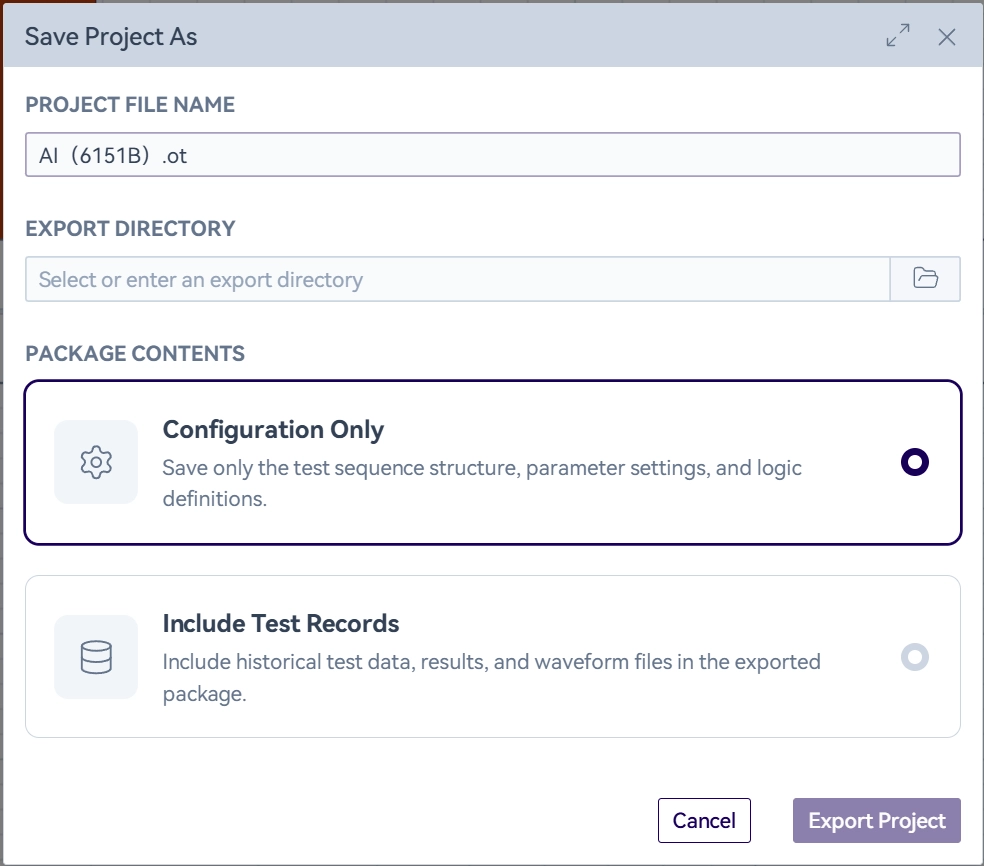
Project import and export are important for workflow reuse and cross-station collaboration. Previously, project files were mainly used to transfer configuration settings. In v2.0.0 Beta, OpenTest supports carrying test records during project export and import, making project migration more complete.
For R&D teams, this means project settings, test data, and historical records can move together more easily, helping engineers review issues, compare samples, and trace the testing process. For multi-station testing teams, it also helps replicate project environments across computers or test stations, reducing the cost of rebuilding setups.
This update expands OpenTest project management from configuration migration to test record retention and result traceability.
Sound Level Meter Module: Custom Calculation Rate
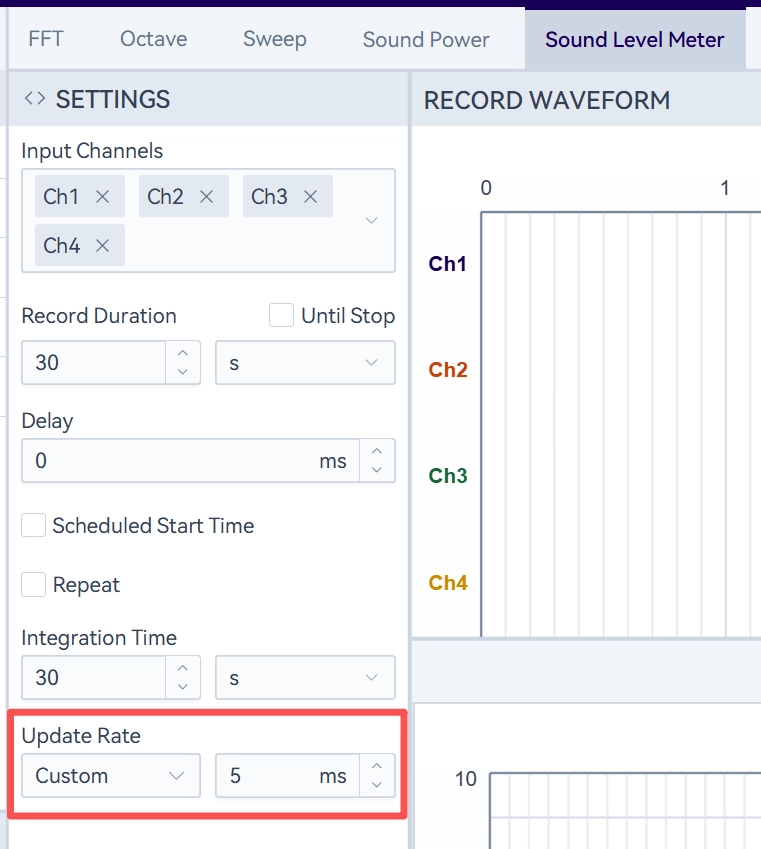
The sound level meter is an important module in OpenTest for sound level measurement. In v2.0.0 Beta, the module has been enhanced with a customizable calculation rate, with the minimum setting available down to 5 ms.
In test scenarios where sound levels change quickly and higher time resolution is needed, the calculation rate directly affects how closely users can observe sound level variations. With customizable settings, users can adjust the calculation rate according to different test needs and find a better balance between data refresh efficiency and measurement observation requirements.
This capability is suitable for sound level fluctuation monitoring, transient sound analysis, and product noise variation evaluation. It also provides a more flexible parameter basis for more detailed acoustic testing workflows.
SonoDAQ Integration: Device Name Editing
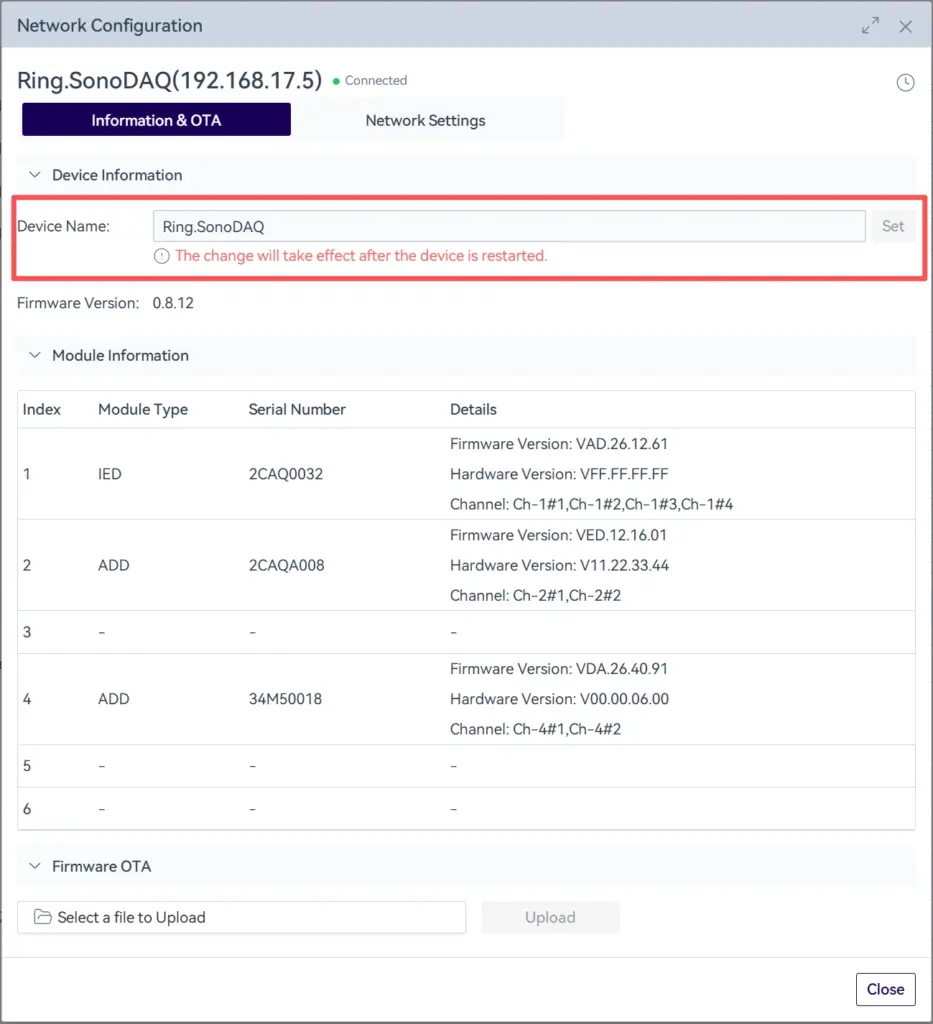
For teams managing multiple SonoDAQ devices, device identification and management efficiency are important. OpenTest v2.0.0 Beta further improves SonoDAQ integration by supporting device name editing.
In laboratories, multi-station environments, or production lines, users can name SonoDAQ devices based on test area, station number, device purpose, or project name. This helps reduce confusion during device selection and improves daily testing and maintenance efficiency.
Although this update may look like a small detail, it is practical for multi-device management and reflects OpenTest's continued improvement in engineering usability.
In addition to the features above, OpenTest v2.0.0 Beta also optimizes parts of the user experience and fixes known issues, helping users work with a more stable and smoother testing environment.
Get Started with OpenTest
OpenTest v2.0.0 Beta is now available. You can download the client from the OpenTest official website and try it for free.
If you are already using OpenTest, this update brings clearer workflow orchestration to daily testing and lays the foundation for future automated testing and standardized management. Batch channel setup, project record migration, customizable sound level meter calculation rate, and SonoDAQ device name editing also improve configuration efficiency, workflow reuse, and engineering usability.
If you are evaluating new audio and NVH testing software, OpenTest v2.0.0 Beta is a good opportunity to learn how OpenTest can help you complete the full workflow from acquisition and analysis to report output more efficiently.
To learn more, upgrade your plan, or further explore OpenTest, please visit the OpenTest website and contact the CRYSOUND team through the Get in Touch form at the bottom of the page.


