CRYSOUND POCKET Acoustic Imaging Camera Now Available on Kickstarter.

CRYSOUND POCKET Acoustic Imaging Camera Now Available on Kickstarter.



Blogs
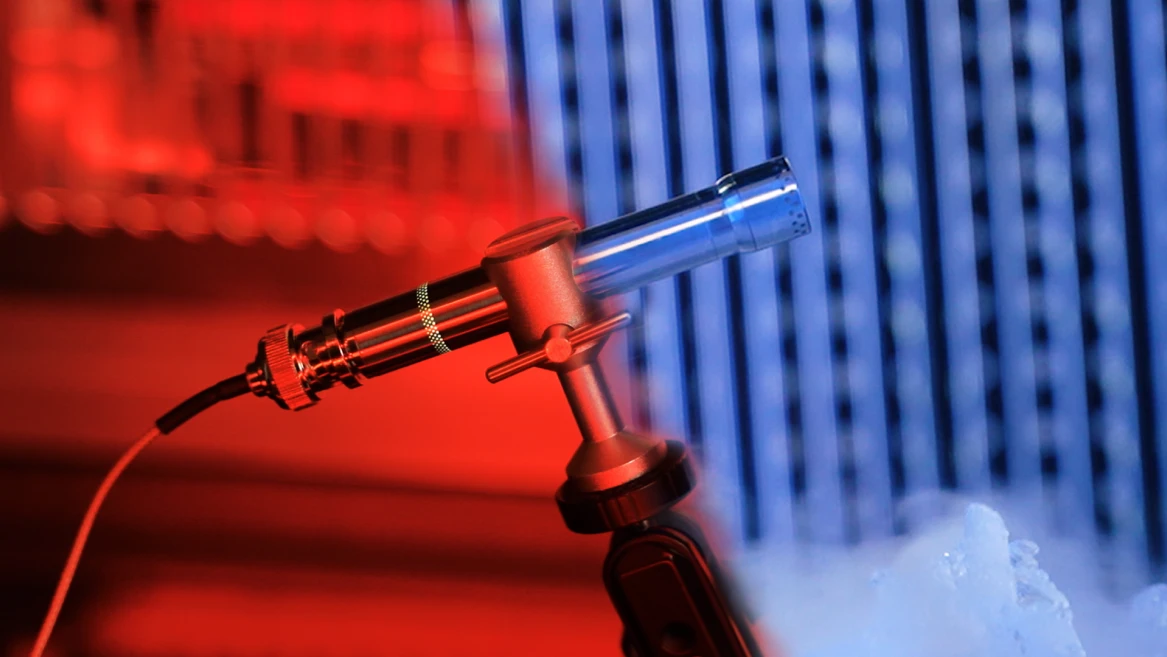
CRY3213 is a 1/2-inch prepolarized free-field microphone engineered for NVH testing in the real world — rain, dust, engine bay heat, Arctic cold. With IP67 protection and a -50°C to +125°C operating range, it delivers lab-grade accuracy without compromise, from powertrain noise to road and wind noise measurements. The Problem With Traditional Microphones Every NVH engineer knows the frustration: you need accurate acoustic data, but the test environment is anything but laboratory-perfect. Rain. Dust. Engine bay heat at 120°C. Scandinavian winter at -40°C. Vibration. Shock. Road spray. Traditional measurement microphones weren't built for this. They're precision instruments designed for controlled environments — fragile, temperature-sensitive, and one drop away from an expensive recalibration. So engineers compromise: they protect the microphone instead of optimizing the measurement, or they accept degraded data from sensors pushed beyond their limits. CRY3213 changes this equation entirely. Figure 1. CRY3213 operating in harsh road test conditions — water, mud, and debris are no obstacle A Game Changer for NVH Testing The CRY3213 is the NVH measurement microphone that delivers laboratory-grade accuracy in the harshest real-world conditions — without compromise, without babysitting, without excuses. This isn't an incremental improvement. It's a new category: the ruggedized precision NVH microphone. FeatureWhat It Means for Your Testing-50°C to +125°C operating rangeTest in Arctic cold or next to a turbo manifold — same accuracy, same reliabilityIP67 dust & water protectionContinue operating in rain, road spray, temporary water immersion, sand and dust — without extra protectionRuggedized, vibration-resistant designSurvives the shocks and vibrations of real-world vehicle testing without signal degradation50 mV/Pa sensitivityHigh output for excellent signal-to-noise ratio, even in quiet cabin measurements3.15 Hz – 20 kHz (±2 dB)Full audible bandwidth plus infrasound — captures everything from tire cavity resonance to HVAC hiss Figure 2. CRY3213 performing in extreme weather road testing Why CRY3213 Is Different Extreme Temperature Performance Most measurement microphones spec a conservative operating range. That's fine for a lab. It's useless for: Cold climate testing in Arjeplog, Sweden (-35°C) or Northern China (-40°C) Under-hood measurements where temperatures routinely exceed 100°C near exhaust manifolds and turbochargers Thermal cycling tests that swing from frozen to furnace in minutes CRY3213 operates at -50°C to +125°C with specified accuracy. No warm-up drift. No thermal shutdown. No recalibration needed between temperature extremes. When your competitors are swapping frozen microphones in the parking lot, your CRY3213 is still collecting data. IP67: Truly Weatherproof IP67 means:- 6 = Total dust ingress protection (dust-tight)- 7 = Protected against temporary immersion in water (up to 1 meter, 30 minutes) For NVH testing, this translates to:- Pass-by noise testing in rain — no test cancellations, no scrambling for covers- Road spray and puddle testing — mount microphones at wheel height without worry- Tropical humidity environments — no condensation-related signal drift- Outdoor long-term monitoring — deploy and forget CRY3213's IP67 is the highest protection class available in a precision NVH microphone. Figure 3. CRY3213 IP67 waterproof immersion testing Ruggedized and Vibration-Resistant Traditional condenser microphones are inherently precise and delicate. The CRY3213 has been systematically reinforced at the structural level for field durability, allowing it not only to measure near the vehicle, but also to be mounted directly on the vehicle for testing. Shock-resistant structural design helps withstand field handling and repeated installation/removal. Power-on LED indication enables quick confirmation of the microphone's operating status. Vibration-isolated design helps suppress mechanical interference transmitted through test benches and vehicle structures. The cable and connector system is designed for frequent connection, disconnection, and field deployment. No-Compromise Acoustic Performance Ruggedized doesn't mean reduced performance. CRY3213 delivers: Sensitivity: 50 mV/Pa (-26 dB re 1V/Pa) — matching premium lab microphones Frequency Response: 3.15 Hz to 20 kHz (±2 dB) — the full NVH bandwidth Dynamic range 17 to 136 dB — handles everything from quiet cabin to high-SPL engine bay measurements Low-frequency extension to 3.15 Hz — critical for tire cavity resonance (180–250 Hz), body boom (30–60 Hz), and powertrain low-order vibrations Prepolarized design — no external polarization voltage needed; plug-and-play with any IEPE/CCP input Application Scenarios Automotive NVH — Where CRY3213 Shines ApplicationChallengeCRY3213 AdvantagePowertrain NoiseEngine bay, 80–120°C, heavy vibrationTemperature range + vibration resistanceRoad Noise TestingOutdoor, all weather, road sprayIP67 + wide temperature rangeWind Noise TestingWind tunnel or outdoor, high airflowRuggedized + dust protectionPass-by Noise (ISO 362)Outdoor, rain or shine, year-roundIP67 enables all-weather testingCold Climate ValidationArctic conditions, -30°C to -50°C-50°C low-end operating rangeEV Motor Whine AnalysisNear e-drive, electromagnetic interferenceHigh sensitivity + vibration isolationSqueak & RattleInterior, door panels, dashboardFull bandwidth down to 3.15 HzProduction Line EOL TestFactory floor, dust, temperature swingsIP67 + rugged design for 24/7 industrial use Beyond the automotive industry, the CRY3213 is also well suited to aerospace, rail transportation, heavy industry, and the energy sector. Typical applications include engine ground run testing, interior and exterior train noise measurements, compressor and turbine noise monitoring, and wind turbine noise assessment under extreme weather conditions. Figure 4. CRY3213 installed in engine bay for powertrain noise testing Technical Specifications ParameterSpecificationType1/2" Free-field, PrepolarizedIEC StandardIEC 61094 WS2FSensitivity (±2 dB)50 mV/Pa, -26 dB re 1V/PaFrequency Response (±2 dB)3.15 Hz – 20 kHzDynamic Range (re. 20 µPa)17 dB(A) – 136 dBPower SupplyIEPE (2–20 mA)ConnectorBNCOperating Temperature-50°C to +125°CStorage Temperature-25°C to +70°COperating Humidity0–90% RH, non-condensingIP RatingIP67 (dust-tight, waterproof)Dimensions (with grid)Ø14.5 mm × 92 mmPolarization0 V (prepolarized)Weight36 g Frequently Asked Questions Q: Can I use CRY3213 with my existing NVH data acquisition system?A: Yes. CRY3213 is a prepolarized (0V) IEPE/CCP microphone, compatible with any standard constant-current input — including systems from SonoDAQ, CRY6151B, Siemens (SCADAS), HBK (LAN-XI), Dewesoft, National Instruments, HEAD acoustics, and others. Q: How does it handle rapid temperature changes during thermal cycling tests?A: CRY3213 is designed for continuous operation across its full -50°C to +125°C range, including rapid transitions. The thermal compensation ensures sensitivity stability without requiring recalibration between temperature extremes. Q: Is it suitable for permanent outdoor installation?A: Yes. With IP67 protection, CRY3213 is suitable for long-term outdoor deployment. Q: What's the advantage over ordinary microphones for NVH?A: Compared with conventional microphones, the CRY3213 NVH microphone not only delivers more accurate measurements, but is also better suited for real-world testing conditions. With IP67 protection, an operating temperature range of -50°C to +125°C, and excellent resistance to vibration and shock, it can operate reliably in rain, dust, high heat, and extreme cold, making it ideal for vehicle road tests, under-hood measurements, and long-term outdoor monitoring. Q: 10-year warranty — what does it cover?A: CRYSOUND's 10-year warranty covers manufacturing defects and sensitivity drift beyond specification. It's one of the longest warranties in the measurement microphone industry, reflecting our confidence in CRY3213's long-term reliability. Ready to Upgrade Your NVH Testing? Stop compromising between precision and durability. CRY3213 delivers both. Request a Quote → Download Datasheet (PDF) → Compare All CRYSOUND Microphones →
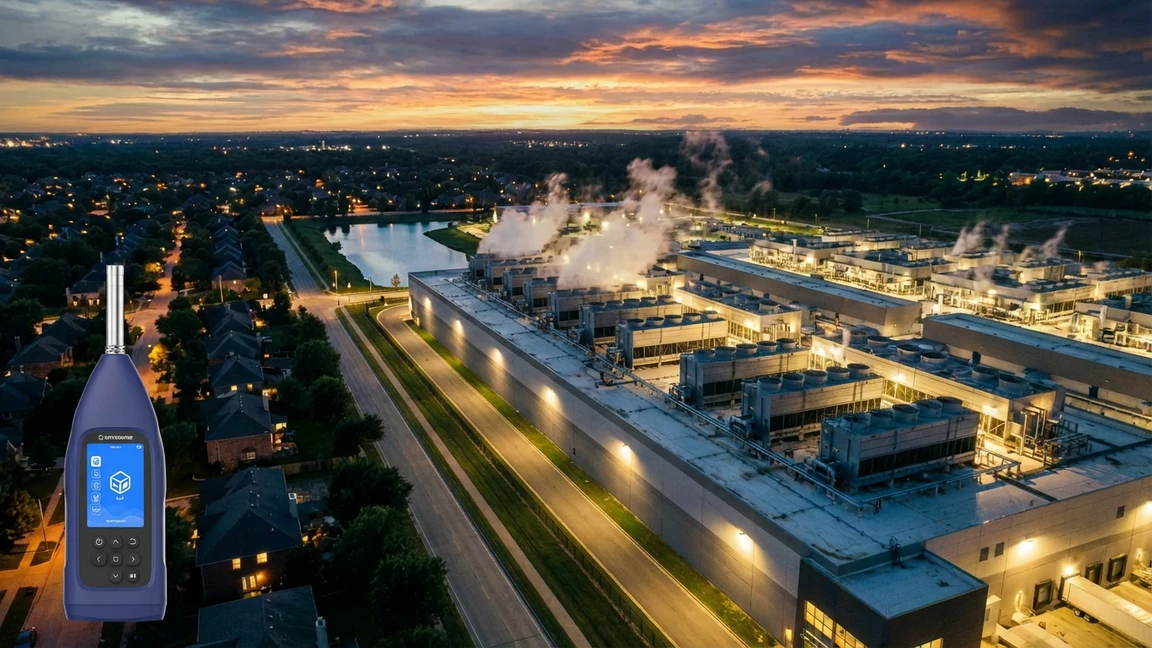
CRYSOUND's CRY2830 Series sound level meters support 24/7 data center noise monitoring, helping operators maintain noise compliance records and reduce the risk of fines. As AI workloads surge and hyperscale facilities continue to expand, data center noise complaints are rising rapidly. At the same time, environmental noise regulations are becoming more stringent. In Europe, more than 109 million people - about 20% of the population - are exposed to environmental noise above 55 dB(A). Driven by compliance requirements, the acoustic analysis services market is also growing quickly, with a projected CAGR of 6.4% through 2035. This is no longer just a matter of being a good neighbor. It is now a hard compliance requirement. Without continuous monitoring, operators are essentially flying blind. Figure 1. Site overview related to data center noise monitoring and property boundary compliance. Why Data Center Noise Is Becoming a Regulatory Priority Data center noise is not just annoying - it is a public health issue. The World Health Organization has noted that chronic noise exposure above 53 dB Lden is associated with significantly higher risks of hypertension, stroke, and heart attack. Regulations in multiple regions are tightening at a visible pace: LocationRegulationKey RequirementAurora, IL, USANew Data Center Ordinance (2026)24/7 automatic noise monitoring at the property line; daytime limit of 55 dB(A), nighttime limit of 45 dB(A)Prince William County, VA, USANoise Ordinance Update (2025)Noise limits for data centers; fines of $250-$500 per violationEuropean UnionEnvironmental Noise DirectiveNoise mapping, action plans, and a 55 dB(A) Lden threshold The trend is clear: what used to rely on self-discipline is quickly becoming a legal obligation. Figure 2. Environmental context relevant to data center noise compliance and surrounding sensitive areas. The Real Cost of Non-Compliance A fine of $250 to $500 per violation may not look serious for billion-dollar operators, but the actual cost goes far beyond the amount of the penalty itself: Project delays and permit rejection: Projects that cannot prove noise compliance at the planning stage may be rejected or delayed indefinitely. High retrofit costs: Emergency installation of acoustic enclosures after community complaints is extremely expensive, while early sound level assessment during design and operation can prevent that cost. Damage to reputation and community relations: Noise complaints erode community goodwill faster than almost any other issue. Operational restrictions: Some ordinances may force operators to reduce cooling capacity at night, directly affecting uptime and SLA commitments. Using the CRY2830 Series to Take Control Continuous noise monitoring is not only about compliance - it is about proactive control. For the demanding requirements of 24/7 outdoor monitoring in data centers, ordinary handheld instruments are not enough. The CRYSOUND CRY2830 Series sound level meters, when used with the dedicated outdoor protection kit, provide a practical high-accuracy solution for long-term compliance monitoring. Meets international standards for defensible reporting The foundation of compliance is reliable and legally defensible data. The CRY2833 sound level meter meets IEC 61672-1:2013 Class 1 requirements, helping ensure that reports submitted to regulators are credible, traceable, and technically sound. Outdoor protection for long-term boundary monitoring A sound level meter used at the property boundary must operate continuously in outdoor conditions. When paired with the NA41 outdoor protection kit, the system reaches IP65 protection, helping resist dust and water splashes. Its windscreen can still reduce wind noise by more than 30 dB at 10 m/s, which is especially important for capturing real equipment noise in harsh weather conditions. Figure 3. CRY2833 and CRY2834 with windscreen for outdoor data center noise monitoring. Captures low-frequency hum with octave analysis One of the most common complaints around data centers is the low-frequency hum generated by cooling equipment in the 63-250 Hz range. Standard A-weighted measurement can underestimate this problem. The CRY2830 Series supports both 1/1 octave and 1/3 octave analysis, making it easier to identify and evaluate these hidden low-frequency noise sources. Continuous logging and alarm-ready monitoring The system includes a built-in 32 GB microSD card for continuous data logging, with data automatically saved in standard CSV format. This makes it easier to build long-term compliance records and export measurement data for review. Flexible connectivity and system integration The CRY2830 Series also offers multiple interfaces, including Bluetooth, WiFi, RS232, and USB, making it easier to integrate sound level data into an existing BMS or cloud dashboard for remote access and long-term management. Figure 4. CRY2833 and CRY2834 interface options for data logging and system integration. Best Practices for Deployment Start with a baseline survey: Before installing permanent monitoring equipment, carry out a full noise survey to establish background noise levels and identify dominant noise sources. Use strategic placement with outdoor protection: Deploy the CRY2833 with the NA41 outdoor protection kit at property boundary points closest to sensitive receivers such as residential areas. Monitor low-frequency noise and use smart triggers: Enable 1/3 octave analysis to flag low-frequency issues and set threshold-based triggers for automatic recording when needed. Generate compliance-ready records: Export standard CSV measurement data regularly so that you have a defensible record available for any future noise complaint or regulatory review. Conclusion The data center industry is reaching a turning point. Regulations are tightening, and the cost of non-compliance already far exceeds the investment required for a professional sound monitoring system. 24/7 sound level monitoring is not a regulatory burden - it is an operational advantage. It gives operators better data, better decisions, stronger community relations, and written proof that they are doing the right thing. To learn more, explore the CRY2830 Series and contact CRYSOUND for a customized data center noise compliance solution.
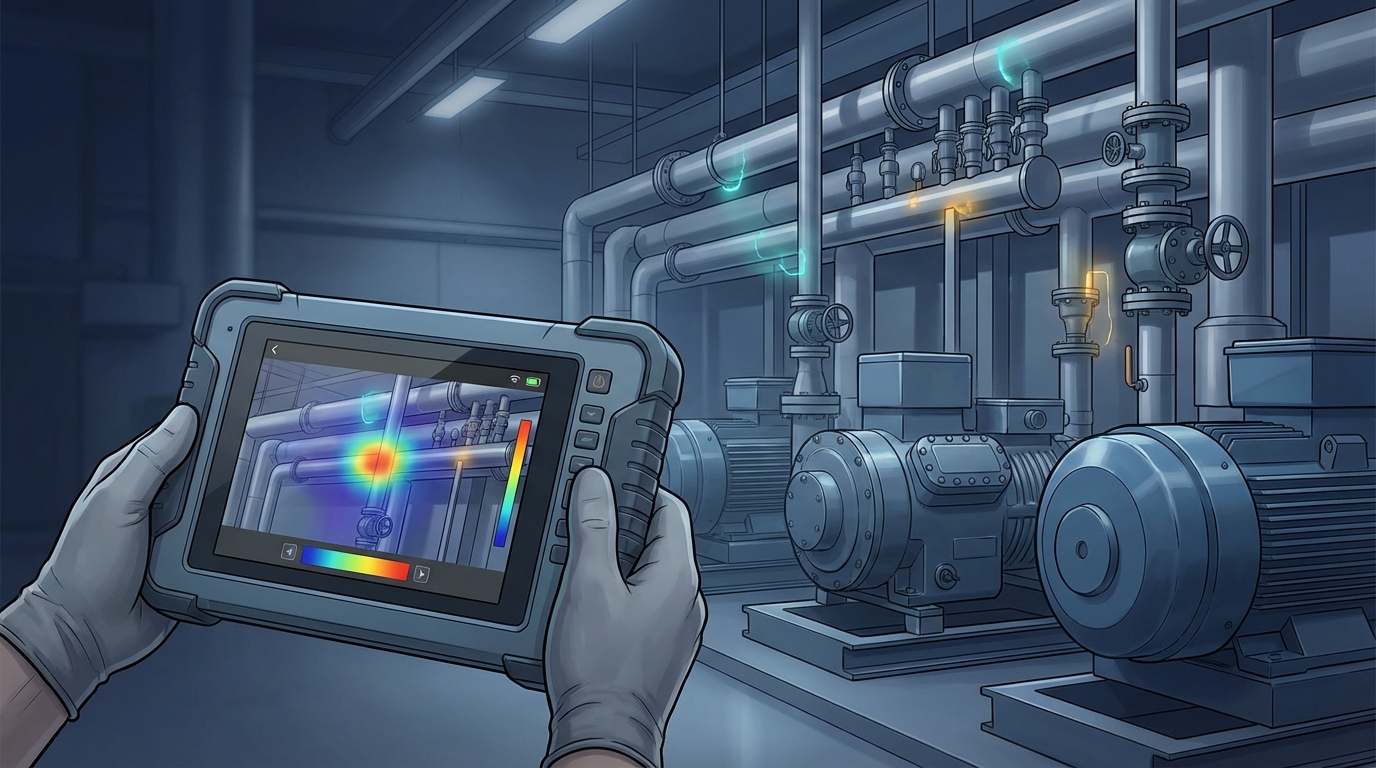
By Bowen · Application Engineer at CRYSOUND Compressed air leaks rarely announce themselves as a major failure. More often, they sit in the background: a hiss at a fitting, a loss point on an overhead run, a manifold that never seems quite stable, a line that stays pressurized when it does not need to. Small individually. Expensive in aggregate. That is why leaks are easy to underestimate. They do not always stop production, but they do keep drawing power and eroding usable system capacity day after day. The U.S. Department of Energy and ENERGY STAR both note that leaks can account for roughly 20% to 30% of compressed air system output in a typical plant, and ENERGY STAR adds that poorly maintained systems may lose 20% to 50% of their compressed air to leaks. A compressed air leak cost calculator can help quantify that burden. Once losses reach that range, the issue is no longer housekeeping. It is an operating-cost problem and a maintenance-priority problem. Why air leaks cost more than they look Air leaks cost more than they look because they consume both electricity and capacity. The obvious loss is energy: compressors are producing air the plant never uses. The less obvious loss is system headroom. When enough air escapes through avoidable leaks, the plant may start seeing pressure instability, slower recovery after peak demand, or equipment that feels short of air even though compressor capacity on paper should be adequate. That is why leaks often surface as symptoms before they are treated as root causes. Teams may notice unstable downstream pressure, poor actuator response, longer recovery time, or compressors that seem to be working harder than expected. The first reaction is often to adjust pressure setpoints, add capacity, or tune controls. Sometimes the simpler truth is that too much air is leaving the system before it ever reaches productive use. Compressed air leak cost: the yearly operating cost associated with compressed air that your system generates, but your plant never uses because it escapes through avoidable leaks. ENERGY STAR draws a useful contrast here. In a plant with an active leak program, losses may be kept below 10%. In a poorly maintained system, the leak share can be far higher. That gap turns leaks from background noise into a measurable operating expense. Where compressed air leaks usually hide in real plants In most plants, compressed air does not disappear through one spectacular failure. It leaks away through ordinary connection points that are easy to ignore because each one looks minor on its own. Typical leak locations include: quick-connect fittings and couplings hoses and hose-end connections threaded joints FRL assemblies and valve manifolds drains, traps, and condensate components aging seals in cylinders or actuators idle machines that stay pressurized when they do not need to be overhead distribution lines that are physically hard to inspect Some of these are simple bench-level fixes. Others are difficult mainly because of access and visibility. Overhead piping, dense manifolds, crowded mechanical spaces, and background noise all make it harder to localize the exact point of loss quickly. That is one reason leak programs stall even when everybody agrees the system probably has leaks. Why teams know leaks exist but still struggle to fix them Most plants do not lack awareness. They lack a repeatable path from suspicion to action. There are several reasons for that: the leak burden is spread across many assets rather than one dramatic failure background plant noise makes traditional listening unreliable overhead or crowded geometry slows inspection maintenance teams are asked to prioritize problems that look more urgent leadership may not see a clear financial case for dedicating time to a leak campaign Leak programs often fail at the handoff between engineering intuition and operational prioritization. The maintenance team may know leaks are present. The plant may even hear them. But if nobody can frame the cost clearly enough to justify time, and nobody can localize the leaks efficiently enough to repair them, the issue stays on the backlog. A calculator helps with the first half of that problem. It does not solve the leak. It tells the plant whether the leak problem is large enough to deserve immediate attention. Use our free calculator to estimate the business impact This article includes a lightweight compressed air leak cost calculator for that decision point. It is meant to answer one practical planning question: If our leak burden is in a realistic range, what could it be costing us per year? It supports two simple input paths: Estimate from compressor data if you know installed power, electricity cost, and runtime assumptions Use annual electricity cost if you already know the approximate yearly electricity spend for your compressed air system Compressed Air ROI How much are air leaks costing your plant? Estimate the annual cost of compressed air leaks in less than a minute. Switch between a compressor-data estimate and a direct electricity-cost shortcut. Typical planning assumption 20% Estimated leak loss rate Use the leak-loss slider to model your plant. The calculator updates live so you can stress-test different assumptions before planning repairs. Estimate from compressor data Use annual electricity cost Input assumptions Use the path that best matches what you already know about your compressed air system. Currency Affects result formatting only USD ($) EUR (€) GBP (£) CNY (¥) Total installed compressor power HP kW Electricity cost per kWh Repair budget (optional) Operating days per week Operating hours per day Annual non-production days Currency Match your annual electricity cost input USD ($) EUR (€) GBP (£) CNY (¥) Annual compressed air electricity cost Repair budget (optional) Estimated annual cost of air leaks $0 Adjust the inputs to see how compressed air leaks can turn into recurring annual spend. Annual air-system electricity cost $0 Average monthly leak cost $0 Average daily leak cost $0 Estimated payback period — Planning estimate only. This calculator helps you frame the possible business impact of compressed air leaks. It does not replace a plant energy audit or a quantified leak survey. Want to find the leaks behind this cost? Acoustic imaging helps maintenance teams see compressed air leaks faster on manifolds, fittings, and overhead lines. See acoustic leak detection solutions Assumption note: leak-loss percentage is user-defined so teams can model conservative or aggressive scenarios. The key input is the estimated leak-loss rate. That percentage is intentionally scenario-based because plants start from very different conditions. A well-managed system may justify a lower case. A site with legacy piping, recurring fitting changes, idle assets left pressurized, and no regular survey routine may justify a higher one. Use the output for planning, not for forensic accounting. Its job is to convert a suspected problem into an estimated annual exposure that can support budgeting, prioritization, and a decision on whether a leak survey should move up the queue. Why finding the leak matters more than estimating it A cost estimate is only useful if it changes field behavior. Once a plant sees that leaks may be costing thousands or tens of thousands of dollars per year, the real operational question becomes: Can we find the leaks fast enough to repair them without turning the program into a slow manual hunt? This is where many leak initiatives bog down. Estimating cost is relatively easy compared with localizing leaks across real plant geometry. A few leaks near eye level may be obvious. A larger system with overhead runs, crowded manifolds, complex drops, and tight mechanical spaces is harder. Knowing that leaks exist is not the same as being able to repair them efficiently. Execution quality depends on localization speed. If finding leaks is painfully slow, even a strong energy-saving case can lose momentum. If localization is fast and repeatable, the plant can move much more confidently from estimate to inspection to repair. How acoustic imaging helps maintenance teams localize leaks faster DOE and ENERGY STAR guidance often point maintenance teams toward ultrasonic leak detection because escaping compressed air produces high-frequency sound that is easier to detect ultrasonically than by ear in a noisy environment. That is the right starting point. In the field, though, the hard part is often not detecting that sound. It is locating the exact source quickly on a live plant floor. Acoustic imaging helps by turning that signal into a visual map. Instead of relying only on point-by-point audio cues, the inspector can see where sound energy is concentrated on top of the live scene. On dense manifolds, fittings, hose assemblies, overhead lines, and hard-to-reach drops, that visual layer can make leak localization faster and easier to document. That is especially useful when: the suspected leak zone contains many possible connection points the leak is above eye level or across a congested mechanical area the team needs to document findings for a maintenance backlog multiple leaks must be ranked and repaired efficiently If you want a fundamentals refresher on the method itself, CRYSOUND already explains the basics in What Is an Acoustic Camera? and How Acoustic Imaging Works. Some acoustic imaging workflows also support leak-severity assessment, which matters when a plant is trying to prioritize repairs instead of treating every leak as equal. For plants doing regular compressed-air inspections, CRYSOUND's handheld lineup fits that workflow directly: the CRY8124 Advanced Acoustic Imaging Camera provides a higher-resolution handheld option with 200 microphones and a 2-100 kHz frequency range, while the CRY2623 128-Mic Industrial Acoustic Imaging Camera offers 128 microphones, a 2-48 kHz frequency range, and support for gas/vacuum leak detection and leak rating in a rugged industrial format. Plants do not buy inspection tools because leak math is interesting. They buy them because once the cost is visible, they need a practical way to find and fix the leaks behind the number. A practical workflow: estimate → inspect → repair → verify Once the plant accepts that leaks are carrying real cost, the next steps do not need to be complicated. Estimate the exposure. Use the calculator to test low, mid, and high leak-loss scenarios and decide whether the annual burden justifies focused action. Inspect the likely problem zones. Start with compressors, dryers, headers, manifolds, drops, hoses, valve packs, and idle equipment that stays pressurized. Repair the most valuable leaks first. Rank issues by probable severity, accessibility, safety, and operational impact rather than trying to fix everything at once. Verify and repeat. Re-inspect repaired areas, document recurring patterns, and turn leak detection into a maintenance routine instead of a one-off campaign. This workflow is deliberately practical. A plant does not need perfect certainty to start. It needs enough confidence that the waste is real, enough visibility to localize leaks efficiently, and enough follow-through to keep repairs from becoming a one-time campaign. FAQ How accurate is this compressed air leak cost calculator? It is a planning estimator, not an audit-grade model. Its job is to frame annual exposure quickly by using realistic operating assumptions and a user-defined leak-loss percentage. What leak-loss percentage should I start with? If you do not know your current leak level, 20% is a practical starting case. DOE and ENERGY STAR both identify that range as common enough to deserve attention, and you can compare it against lower and higher scenarios. Why not just estimate the savings and skip leak detection? Because the estimate does not tell you where the leaks are. Plants still need an inspection method that turns a cost problem into a repair list. When does acoustic imaging make the biggest difference? It is most useful when the leak is hard to localize quickly by ear or with manual point-by-point search, especially on overhead lines, dense manifolds, crowded mechanical spaces, and multiple-connection assemblies. Estimate the cost, locate the leaks, and turn the result into repairs. If your annual loss is already large enough to justify action, talk with CRYSOUND about acoustic leak detection solutions. Sources U.S. Department of Energy, Improve Compressed Air System Performance: A Sourcebook for Industry — https://www.energy.gov/eere/amo/improve-compressed-air-system-performance-sourcebook-industry ENERGY STAR, Compressed Air System Leaks — https://www.energystar.gov/industrial_plants/earn_recognition/small_manufacturing/guide/compressed_air_system_leaks U.S. Department of Energy, AIRMaster+ — https://www.energy.gov/eere/amo/articles/airmaster
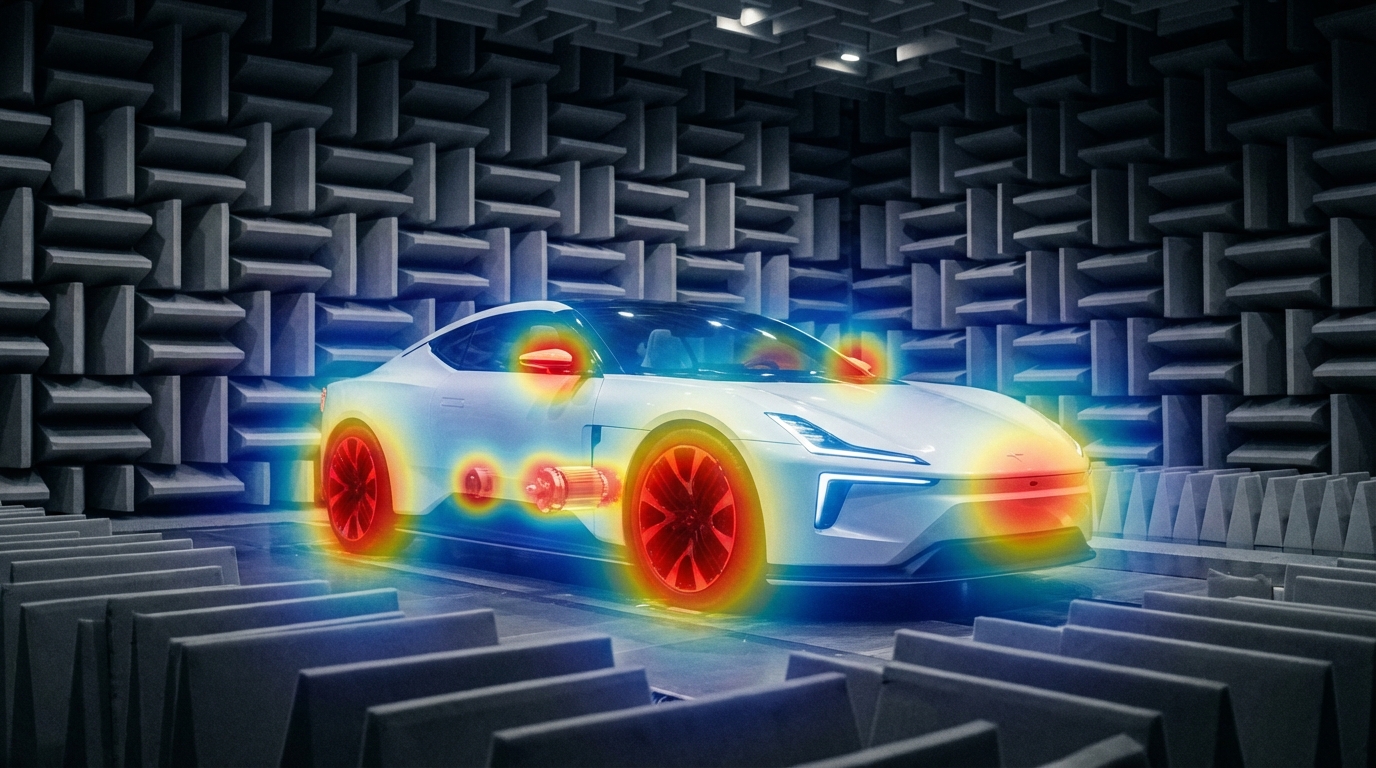
Traditional NVH tools still matter, but they don't cover every EV scenario—acoustic cameras fill the gap with real-time noise visualization and wide-band diagnostics. The Quiet EV Paradox: Why Electric Cars Are Actually "Noisier" It sounds like a paradox — electric vehicles have no roaring engine, yet engineers are finding it harder than ever to achieve a truly quiet cabin. The truth is, when the low-frequency masking effect of the internal combustion engine disappears, every previously hidden noise becomes fully exposed: the high-frequency whine of the electric motor, the electromagnetic hum of the inverter, gear meshing vibrations, wind noise, road noise, even the squeak and rattle of interior trim — nothing can hide anymore. This isn't just a comfort issue. It's fundamentally redefining the automotive industry's approach to NVH (Noise, Vibration, and Harshness) testing. The global automotive NVH testing market is projected to grow from USD 3.51 billion in 2026 to USD 5.75 billion by 2034, at a CAGR of 6.4%. The core driver behind this growth? The electrification revolution. What New Noise Challenges Do EVs Bring? A Fundamental Shift in Frequency Range Traditional ICE vehicle NVH work focuses on the 20–2,000 Hz low-frequency range — engine firing, exhaust systems, crankshaft vibrations. Electric vehicles are fundamentally different: Noise SourceTypical Frequency RangeCharacteristicsElectric motor electromagnetic noise500–5,000 HzSharp tonal noise, varies linearly with speedInverter switching noise4,000–10,000+ HzHigh-frequency hum, related to PWM frequencyGear meshing noise800–3,000 HzParticularly prominent in single-speed reducersBattery charger noise8,000–20,000 HzNear-ultrasonic range, at the edge of human perceptionWind / Road noise200–4,000 HzHighly exposed without engine masking ICE vs EV: The fundamental shift in noise frequency characteristics Key insight: EV noise problems shift from low frequencies to mid-high frequencies (and even ultrasonic ranges). The 100Hz-5kHz range is where most critical NVH issues reside—precisely where human hearing is most sensitive. Traditional NVH testing methods and frequency ranges may no longer be sufficient. New Noise Sources, New Localization Challenges In the ICE era, the assumption that "the engine is the dominant noise source" made things relatively straightforward. In EVs, noise sources become more distributed and complex: Electric drive system: The motor + inverter + reducer form a highly coupled noise system Thermal management: Battery cooling pumps and fans become dominant noise sources at low speeds Regenerative braking: Changes in inverter operating modes during energy recovery produce transient noise Structural transmission paths: Lightweight body structures (aluminum alloy, carbon fiber) have fundamentally different sound insulation characteristics compared to traditional steel This means engineers face a core challenge: How do you quickly and accurately locate the root cause among multiple distributed, dynamically changing noise sources? Sound Quality Design: From "Reducing Noise" to "Crafting Sound" NVH engineering in the EV era is no longer just about "minimizing noise." Consumers expect a carefully designed sound experience: Acceleration should feel "high-tech" without being harsh The cabin should be quiet, but not so silent that it makes the driver uneasy Different driving modes (Sport / Comfort / Eco) should deliver differentiated acoustic feedback This demand for "Sound Design" is expanding NVH testing from pure engineering validation into subjective sound quality evaluation and brand-level acoustic identity. Why Acoustic Cameras Are Becoming Essential for EV NVH Facing these new challenges, traditional NVH testing tools — single-point microphones, accelerometers — remain important but are no longer sufficient for every scenario. Acoustic cameras are filling this gap. Core Advantages of Acoustic Cameras 1. Real-Time Noise Source Visualization Traditional methods require densely placing microphone arrays on the target object — time-consuming and labor-intensive. Acoustic cameras use beamforming technology to generate a noise source heatmap in a single capture, instantly showing "where the noise is and how loud it is." Typical scenario: An EV prototype running on a test bench, the acoustic camera aimed at the electric drive system, instantly revealing that an 800 Hz resonance originates primarily from the right side of the motor — the entire localization process takes less than 5 minutes. Engineer conducting noise source localization test Automotive NVH detection and optimization 2. Wide Frequency Coverage EV noise spans from hundreds of hertz (gear meshing) to tens of thousands of hertz (inverter switching noise) — an enormous frequency range. Critical consideration for NVH: Most EV noise issues occur in the 100Hz-5kHz range—gear meshing, motor electromagnetic noise, wind leaks, HVAC systems. Traditional acoustic imaging cameras (limited to frequencies above 5 kHz) cannot capture these noise sources. Take the CRYSOUND SonoCam Pi (CRY8500 Series) as the ideal example: its 208 MEMS microphone array provides: Beamforming frequency range: 400 Hz - 20 kHz (covers the entire NVH audible spectrum) Near-field acoustic holography range: 40 Hz - 20 kHz (captures low-frequency road noise and structural vibration) Array size: >30 cm (optimized for low-frequency spatial resolution) This makes SonoCam Pi uniquely suited for full-spectrum EV NVH testing—from low-frequency road noise to high-frequency motor whine, all in a single handheld device. 3. Non-Contact Measurement EV electric drive systems are highly integrated and spatially compact. The non-contact measurement approach of acoustic cameras means: No disassembly of any components required No interference with the operating state of the system under test Rapid quality inspection directly on the production line 4. Portability Modern handheld acoustic cameras like the SonoCam Pi can be taken directly to proving grounds, production lines, or customer sites, no complex setup required. Typical Application Scenarios in EV NVH ScenarioApplicationE-drive system NVHLocating order-based noise contributions from motors, inverters, and reducersPass-by noise testingAnalyzing noise source distribution as vehicles pass byInterior squeak & rattle trackingLocating noise from dashboards, doors, seats, and trimEnd-of-line production QCRapid online detection of abnormal noise, replacing subjective human judgmentWind tunnel / Semi-anechoic chamberHigh-precision noise source localization and sound power analysis Real-World Case Study: OEM Dynamic Road Testing Client: A leading Chinese OEMLocation: An OEM test center, internal test trackObjective: Identify in-cabin noise sources during dynamic driving conditions CRY8500 Series SonoCam Pi acoustic cameras Test Setup Device:SonoCam Pi acoustic camera Measurement positions:Rear seat and front passenger seat Target areas:Left and right B-pillars (rear cabin area) Test mode:Beamforming app Frequency range:3,550 Hz - 7,550 Hz Dynamic range:5 dB Key Results SonoCam Pi successfully localized noise sources in real-time during vehicle motion, providing actionable data for OEM's NVH engineering team. The test demonstrated: Real-time localization during dynamic conditions: Unlike fixed laboratory setups, SonoCam Pi captured noise distribution while the vehicle was in motion on the test track Precise frequency-band analysis: By focusing on the 3,550-7,550 Hz range (critical for perceived cabin noise), engineers pinpointed specific contributors rather than measuring overall SPL Rapid testing workflow: Complete B-pillar area scan in minutes, not hours Noise Source Localization Results Key Insight: Traditional microphone arrays would require the vehicle to be stationary in a semi-anechoic chamber. SonoCam Pi enabled on-track diagnostics, dramatically reducing testing time and enabling rapid iteration during vehicle development. Future Trends — What's Next for EV NVH Testing? AI-Driven Noise Classification Machine learning is being integrated into NVH testing workflows: automatically identifying noise types, determining whether anomalies exist, and predicting potential quality issues. The high-dimensional data captured by acoustic cameras is naturally suited for AI analysis. Digital Twins and Simulation-Test Integration Simulation (CAE) predicts noise performance → Acoustic camera validates through physical measurement → Data feeds back to optimize the simulation model. This closed-loop approach is becoming the standard workflow for major OEMs. New Challenges in the Solid-State Battery Era Solid-state batteries have different mechanical properties compared to liquid lithium-ion batteries. Their vibration transmission characteristics and thermal management approaches will introduce new NVH challenges. Stricter Regulations Pass-by noise testing is the fastest-growing NVH sub-segment (CAGR 7.11%), with UNECE pushing for stricter standardized testing requirements, including indoor pass-by testing protocols. Conclusion: The Value of Acoustic Testing, Redefined for the EV Era Electrification hasn't made cars quieter — it has made noise challenges more complex, more nuanced, and more valuable to solve. For automotive OEMs, Tier 1 suppliers, and testing service providers, investing in the right NVH testing equipment is no longer a "nice-to-have" — it's foundational infrastructure for competitiveness. Acoustic cameras—especially those capable of capturing the critical 100Hz-5kHz NVH frequency range—are evolving from "useful auxiliary tools" to "indispensable standard equipment." The CRYSOUND SonoCam Pi stands out as the only handheld acoustic camera that combines: Low-frequency capability (400 Hz beamforming, 40 Hz holography) High spatial resolution (208 microphones, >30 cm array) Near-field + far-field measurements in a single system Portability (handheld, <3 kg, production-ready) Learn more: CRYSOUND SonoCam Pi (CRY8500 Series) → Contact us for NVH testing solutions →
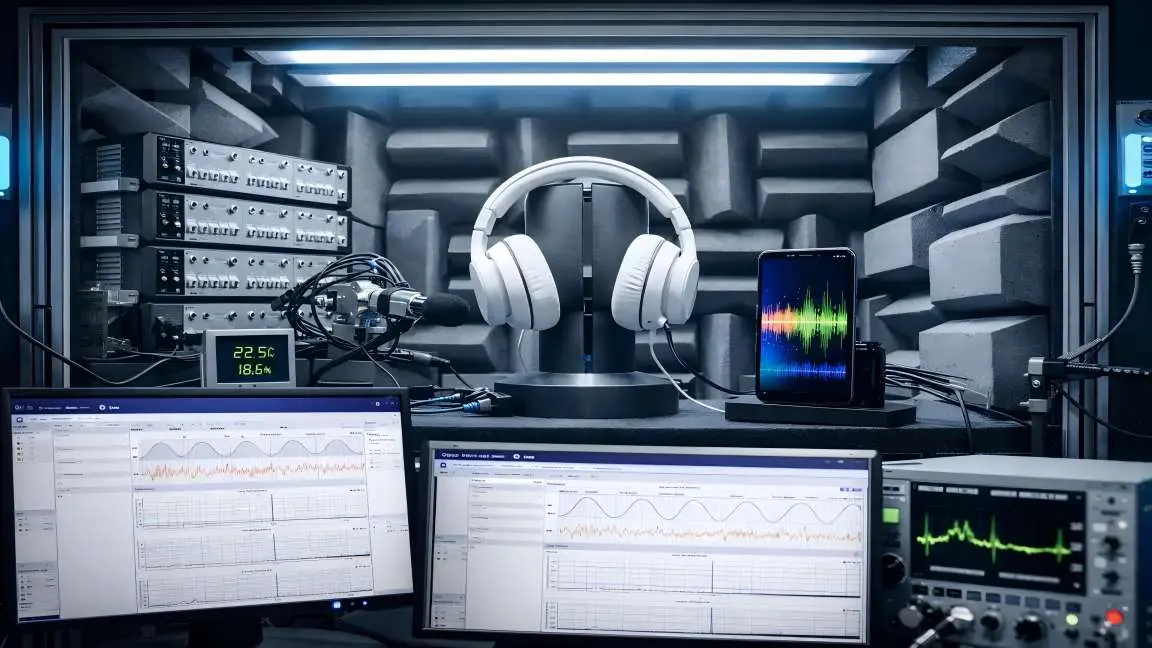
In our previous blog post, "Abnormal Noise Detection: From Human Ears to AI"we discussed the key pain points of manual listening, introduced CRYSOUND's AI-based abnormal-noise testing solution, outlined the training approach at a high level, and showed how the system can be deployed on a TWS production line. In this post, we take the next step: we'll dive deeper into the analysis principles behind CRYSOUND's AI abnormal-noise algorithm, share practical test setups and real-world performance, and wrap up with a complete configuration checklist you can use to plan or validate your own deployment. Challenges Of Detecting Anomalies With Conventional Algorithms In real factories, true defects are both rare and highly diverse, which makes it difficult to collect a comprehensive library of abnormal sound patterns for supervised training. Even well-tuned—sometimes highly customized—rule-based algorithms rarely cover every abnormal signature. New defect modes, subtle variations, and shifting production conditions can fall outside predefined thresholds or feature templates, leading to missed detections (escapes). In the figure below, we compare two wav files that we generated manually. Figure 1: OK Wav Figure 2: NG Wav You can see that conventional checks—frequency response, THD, and a typical rub & buzz (R&B) algorithm—can hardly detect the injected low-level noise defect; the overall curve difference is only ~0.1 dB. In a simple FFT comparison, the two wav files do show some discrepancy, but in real production conditions the defect energy may be even lower, making it very likely to fall below fixed thresholds and slip through. By contrast, in the time–frequency representation , the abnormal signature is clearly visible, because it appears as a structured pattern over time rather than a small change in a single averaged curve. Figure 3: Analysis results Principle Of AI Abnormal Noise Algorithm CRYSOUND proposes an abnormal-noise detection approach built on a deep-learning framework that identifies defects by reconstructing the spectrogram and measuring what cannot be well reconstructed. This breaks through key limitations of traditional rule-based methods and, at the principle level, enables broader and more systematic defect coverage—especially for subtle, diverse, and previously unseen abnormal signatures. The figure below illustrates the core workflow behind our training and inference pipeline. Figure 4: Algorithm Flow Principle During model training, we build the algorithm following the workflow below. Figure 5: Algorithm Judgment Principle How To Use And Deploy The AI Algorithm Preparation First, prepare a Low-Noise Measurement Microphone / Low-noise Ear Simulator and a Microphone Power Supply to ensure you can capture subtle abnormal signatures while providing stable power to the mic. Figure 6: Low-Noise Measurement Microphone Next, you'll need a sound card to record the signal and upload the data to the host PC. Figure 7: Data Acquisition System Third, use a fixture or positioning jig to hold the product so that placement is repeatable and every recording is taken under consistent conditions. Finally, ensure a quiet and stable acoustic environment: in a lab, an anechoic chamber is ideal; on a production line, a sound-insulation box is typically used to control ambient noise and keep measurements consistent. Figure 8: Anechoic Room Figure 9: Anechoic Chamber Model Development First, create a test sequence in SonoLab, select "Deep Learning" and apply the setting. Next, select the appropriate AI abnormal-noise algorithm module and its corresponding API Figure 10: Sequence Interface 1 Then open Settings and specify the model type, as well as the file paths for the training dataset and test dataset. Click Train and wait for the model to finish training (Training time depends on your PC's hardware) Figure 11: Sequence Interface 2 During training, the status indicator turns yellow. Once training is complete, it switches to green and shows a "Training completed" message. Figure 12: Sequence Interface 3 Finally, place your test WAV files in the specified test folder and run the sequence. The model will start automatically and output the analysis results. Test Case Figure 13:Test Environment Figure 14:Test Curve System Block Diagram Figure 15: System Block Diagram 1 Figure 16: System Block Diagram 2 Equipment More technical details are available upon request—please use the "Get in touch" form below. Our team can share recommended settings and an on-site workflow tailored to your production conditions.
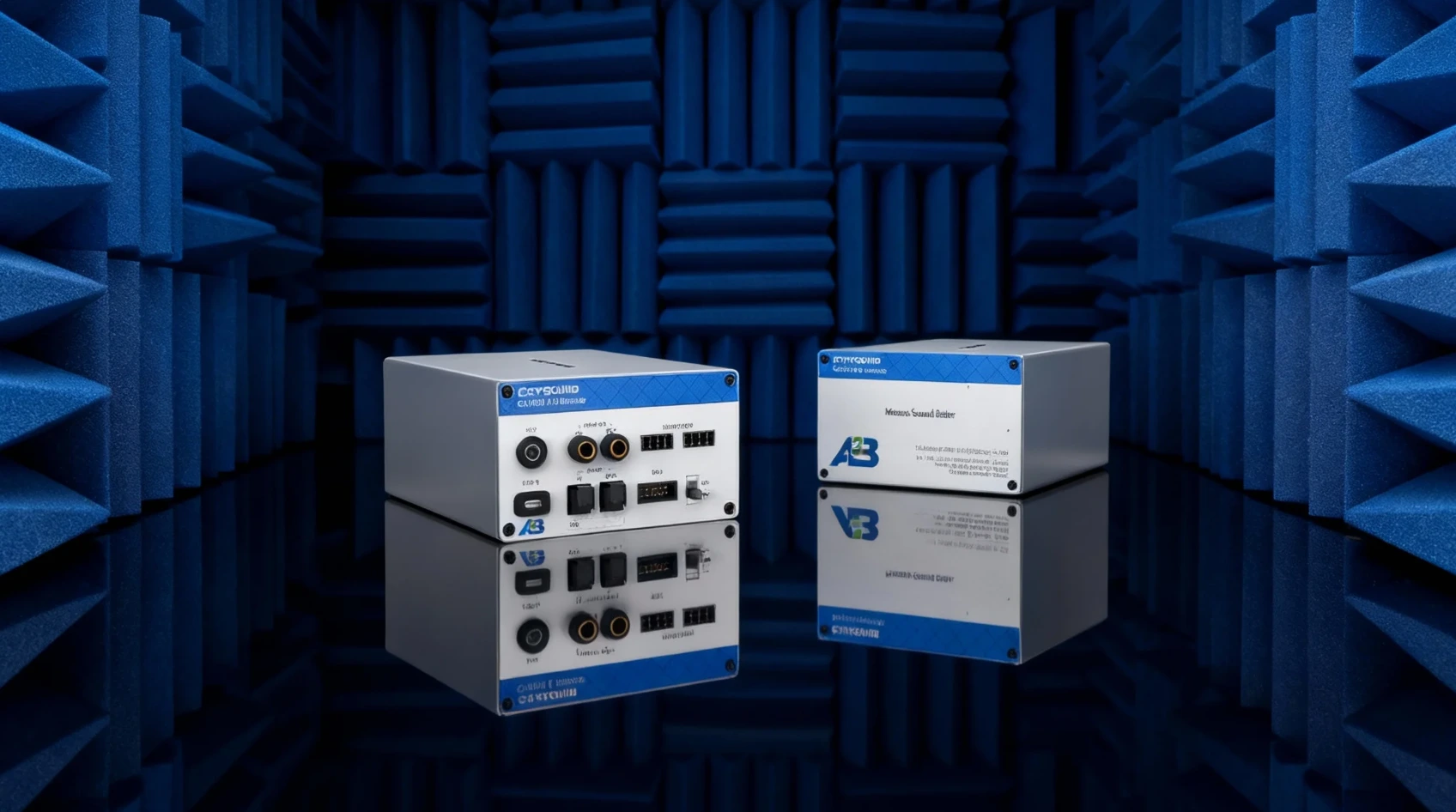
As A²B microphones and sensors are increasingly adopted in automotive applications, the demand for reliable testing in both R&D and production is also growing. This article explains why A²B testing matters, highlights the advantages of A²B over traditional analog cabling in terms of interconnect and scalability, outlines key measurement KPIs (such as frequency response, THD+N, phase/polarity, and SNR), and presents a typical test-bench setup along with the corresponding solution configuration. Why A²B Microphone and Sensor Testing Matters In-cabin audio is no longer just "music playback". Modern vehicles depend on high-performance acoustic sensing for hands-free calling, in-cabin communication, voice assistants, ANC/RNC, and more—and these features increasingly rely on multiple microphones and even accelerometers deployed around the cabin. ADI notes that the rapid expansion of audio-, voice-, and acoustics-related applications is a key trend, and that new digital microphone and connectivity approaches are enabling broader adoption. To deliver consistent performance, teams need a test workflow that is repeatable across different node positions, harness lengths, and configurations—without turning every debug session into a custom project. The Interconnect Shift: From Shielded Analog Cables to Digital A²B Historically, scaling microphone counts often meant scaling shielded analog cabling, which adds weight, cost, and integration burden—sometimes limiting these features to premium vehicle segments. A²B (Automotive Audio Bus) addresses that interconnect problem by enabling a scalable, networked digital audio architecture with deterministic behavior—exactly what timing-sensitive acoustic applications need. Figures a and b show how such a design may be realized with the traditional analog and the digital A²B systems, respectively. Figure 1 (a) Analog system design with analog mic elements (shielded wires). (b) Digital system design with digital mic elements (A²B technology and UTP wires). What You'll Measure: Key A²B Microphone KPIs Frequency Response (FR) THD+N Phase / polarity (and channel-to-channel consistency for arrays) SNR AOP (if required by your program/spec) Typical Block Diagram-What the Bench Looks Like At CRYSOUND, we provide more than just the CRY580 A²B interface. We offer a full automotive audio testing solution, including audio acquisition cards, microphones and sensors, acoustic sources, custom fixtures, acoustic test boxes, and vibration shakers, delivering a complete and streamlined testing experience. Figure 2 Here's a description of the testing block diagram, including the use of the latest OpenTest Audio Test & Measurement Software https://opentest.com Solution BOM List The value of end-to-end delivery: reducing system integration time and minimizing coordination costs between multiple suppliers. We cover everything from R&D to production line testing. Figure 3 BOM list of the solution If you'd like to learn more about A²B testing, please fill out the Get in touch form below and we'll reach out shoutly.

In the fields of acoustic research and industrial inspection, sound is no longer just a signal to be "heard",but information that can be "seen". How to visualize, analyze, and quantify sound has been a long-standing pursuit for research institutions and engineers alike. Today, leveraging its deep expertise in acoustics, CRYSOUND has launched the new SonoCam Pi product series—not just an acoustic camera, but an open acoustic platform, redefining the future of acoustic measurement and imaging. Making Acoustic Experiments Simpler And More Efficient In recent years, microphone arrays have been rapidly adopted in acoustic research. However, research institutions commonly face the following challenges: Traditional systems are expensive and offer a limited number of channels. Array design and algorithm development are complex and time-consuming. In-house array development lacks mature supply chains and integrated hardware-software support. To address these challenges, CRYSOUND leveraging nearly 30 years of expertise in acoustic testing and signal processing, has developed the SonoCam Pi platform—an affordable, open, and programmable acoustic solution. It enables researchers, engineers, and university students to enter the world of acoustic imaging and algorithm validation more quickly, flexibly, and cost-effectively. An Acoustic Development Platform For Research And Industry Hardware Highlights: Large Arrays & Multi-Geometry Adaptability 208-channel MEMS microphone array, supporting replacement and customization. Array diameters of 30 cm / 70 cm / 110 cm, enabling easy switching between near-field and far-field measurements. Wideband response from 20 Hz to 20 kHz, suitable for both precision lab testing and on-site measurements. Modular design, allowing rapid deployment and flexible expansion. SonoCam Pi product appearance Software Ecosystem: Open APIs & Algorithm Freedom Provides an API for 208-channel raw audio waveform data. Comes with a MATLAB acoustic imaging algorithm Demo App for rapid algorithm validation. Built-in acoustic imaging algorithms including Far-field Beamforming and Near-field Acoustic Holography. Supports secondary development, enabling users to build customized acoustic analysis tools. In short, SonoCam Pi is not just a hardware device—it is a complete platform for acoustic algorithm development and experimental validation. From Lab To Factory: Applications Of SonoCam Pi Acoustic Drone Detection Powered by array-based localization and identification algorithms, SonoCam Pi can accurately capture the acoustic signature of drones, enabling reliable low-altitude acoustic detection to support security monitoring and drone detection for site security. Drone detection Acoustic Research & Algorithm Development Research institutions can leverage SonoCam Pi's 208-channel raw-data API and MATLAB demo tools to rapidly validate research algorithms such as Far-field Beamforming and Near-field Acoustic Holography. Algorithm development Sound Propagation Path Analysis Supports directional analysis of both structure-borne and airborne sound propagation, helping researchers and engineers more intuitively understand the transmission mechanisms of noise sources. Sound propagation path analysis Automotive NVH Noise Inspection By combining beamforming and acoustic holography techniques, SonoCam Pi can quickly pinpoint interior and exterior noise sources, visualize acoustic radiation, and support NVH optimization as well as overall vehicle sound quality improvement. NVH research Open · Efficient · Intelligent: A New Start For Acoustic Research Whether for algorithm validation in university laboratories or noise diagnostics in industrial environments, SonoCam Pi has become a new-generation acoustic tool for both research and engineering practice, thanks to its outstanding performance, comprehensive ecosystem, and high level of openness. It makes acoustic measurement more portable, more intelligent, and more open—not only enabling users to see sound, but also empowering researchers to reshape the way sound is understood. SonoCam Pi is more than an acoustic camera; it is an acoustic application ecosystem platform. As technology and acoustic algorithms continue to evolve, CRYSOUND will keep advancing SonoCam Pi, enabling acoustic imaging to unlock new potential across more fields and working hand in hand with research and industrial users to explore the limitless possibilities of the acoustic world. If you'd like to learn more about the applications of CRYSOUND's SonoCam Pi, or discuss the most suitable solution for your needs, please contact us via the form below. Our sales or technical support engineers will get in touch with you shortly.
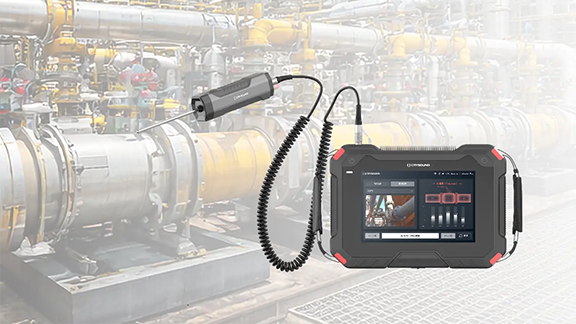
Valves are the "core control components" of pipeline systems. They perform four key functions—opening/closing, regulating, isolating, and directing—enabling precise control of fluid flow. Once sealing integrity fails, minor cases can lead to process upsets and energy losses, while severe cases may result in fires or explosions, toxic exposure, or environmental pollution. We built a valve leak application around the three things customers care about most on site—fewer missed detections and false alarms, better localization, and more reliable leak-rate estimation—by distilling them into an executable, traceable standardized workflow and closing the loop in the application for end-to-end deployment. Common Causes of Valve Internal Leakage What leads to valve leakage? We summarize it into the following four main causes: Normal wear and tear: Frequent opening and closing gradually wears the sealing surfaces; long-term scouring and erosion from the flowing medium can also degrade the seal fit. Process medium factors: Sulfur compounds and similar components in the medium can cause electrochemical corrosion; residual construction contaminants—such as sand, grit, and particles—can accelerate wear and scratch the sealing surfaces, leading to poor sealing. Improper operation and maintenance: Using an on/off valve for throttling, lack of routine cleaning and preventive maintenance, inadequate servicing, or improper/unsafe operation can all damage sealing surfaces or prevent full closure. Installation and management issues: Outdoor storage exposed to rain, ingress of mud and sand, and sandblasting/field conditions introducing grit or debris into the valve cavity can contaminate and scratch sealing surfaces, ultimately causing internal leakage. Figure 1. Illustration of Valve Internal Leakage When a valve is closed but the sealing surfaces do not fully mate, the pressure differential drives the medium to pass through small gaps from the high-pressure side to the low-pressure side, forming high-velocity micro-jets and turbulent flow. This leakage typically results in several observable signs, including sound/ultrasound, vibration, abnormal pressure behavior, and temperature anomalies or frosting. Figure 2. Symptoms of Valve Leakage Why Contact Ultrasound Works When a valve seal fails, high-pressure fluid passing through tiny gaps at the sealing surfaces generates turbulent flow, producing high-frequency ultrasonic signals in the 20–100 kHz range. The signal intensity is generally positively correlated with the leak rate—the larger the leak, the higher the amplitude. In the field, you can capture ultrasonic signals at measurement points upstream of the valve, on the valve body, and downstream, then apply algorithms to extract and analyze signal features to detect and localize internal leakage. Compared with traditional methods, temperature-based approaches are easily affected by heat conduction and are difficult to quantify; pressure-hold tests are time-consuming and poor at pinpointing the leak location; and listening by ear is inefficient, prone to missed detections and false alarms, and heavily dependent on individual experience. That's exactly why we launched this application—turning an experience-driven task into a standardized, process-driven workflow, supported by acoustics and data analytics. Figure 3. CRY8124 Acoustic Imaging Camera with IA3104 Contact Ultrasound Sensor Workflow and Key Capabilities More standardized workflow: turning on-site operation into guided testing In the CRY8124 valve leak application, the software features a standardized and visualized workflow. Operators follow on-screen prompts to place the contact ultrasound sensor on each measurement point in sequence and simply tap "Test". The results are displayed on the interface, and the algorithm automatically determines whether internal leakage is present after the test. Figure 4. Valve Leakage Detection Feature Page At the same time, the software provides standardized inputs for key parameters such as valve ID, valve type, valve size, medium type, and the upstream/downstream pressure differential. This means test results are easier to align across the same unit, different shifts, and different operators—making retesting and trend management much more consistent. Figure 5. Valve Leakage Detection Feature Page Smarter: automatic diagnosis + leak-rate estimation Our valve leak detection capability focuses on two key improvements: By analyzing the dB level at each measurement point and the features of the ultrasonic signal, the system automatically determines the internal leakage result based on algorithmic data, reducing reliance on manual interpretation. Built-in AI algorithms estimate the leak rate from ultrasonic features at the measurement points, providing a quantitative reference to support valve maintenance decisions. This is the core logic behind our emphasis on a "higher detection rate": when judgments rely less on subjective experience, missed detections and false alarms become far more controllable—especially in complex sites with many valves and multiple parallel branches. Application Scenarios Across different industries, there is a common need for valve leak detection: Figure 6: Application Scenarios Field Case Study Case : A Coal-to-Chemicals Plant in Inner Mongolia (Fuel Gas / Coal Gas System) Below is a real field test case of valve leak at a coal-chemical plant. Any internal leakage in fuel gas or coal gas systems can compromise isolation. If leakage exists, the downstream side may remain gas-charged, and the work area may still be exposed to risks of CO and sulfur-containing acid gases entering the zone—potentially leading to poisoning, fire, or even explosion hazards. Using contact ultrasonics, we performed on-site testing on the suspected valves, quickly identified the leakage points, and estimated the leak rate. This helped the customer turn "isolation confirmed" from an experience-based judgment into data-backed verification, prioritize corrective actions, reduce work risks caused by misjudged isolation, and ensure safer maintenance and stable operation. Figure 7. On-site Test Photos Valve type: Fuel gas compressor room bypass valve (butterfly valve). Test result: 19.8 L/min. Medium / pressure: Fuel gas (H₂, CO, CH₄), 3 MPa. Figure 8. Test Results Valve type: Fuel gas compressor room plug valve Test result: 1.7 L/min. Medium / pressure: Coal gas (mainly CO), 2.5 MPa. Figure 9. Test Results On-Site Test Method: Repeatable 5-Point Measurements Confirm Operating Conditions Ensure there is a pressure differential, and isolate interfering branches as much as possible. Key steps Close the valve to be tested. Open the upstream and downstream valves of the test section. Confirm a pressure differential between upstream and downstream gauges, and verify ΔP > 0.1 MPa. As shown in the figure below When testing Valve A for valve leakage: open Valves B and C, and close Valves A and D. When testing Valve B for valve leakage: open Valves A and C, and close Valves B and D. Figure 10. Valve Status Place Measurement Points (MP1–MP5) Cover upstream → valve core → downstream. MP3: Located at the valve core. MP2: Located 1–2 pipe diameters (D) upstream of the valve (place the point on the pipe wall away from the valve). MP1: Located upstream of the valve, 2–3D away from MP2. If space is limited, MP1–MP2 spacing can be shortened to 0.5D. MP4: Located 1D downstream of the valve (place the point on the pipe wall away from the valve). MP5: Located downstream of the valve, 1–2D away from MP4 (recommended on the pipe wall just after the valve flange). If space is limited, MP5–MP4 spacing can be shortened to 0.5D. D = pipe diameter Figure 11. Test Point Layout NoteFor small, flangeless threaded valves, the spacing between measurement points should be at least three pipe diameters (3D). Fugure12. Test Point Layout FAQ We've listed some common scenario-based questions about valve internal leakage to help you understand the application faster and choose the right solution more efficiently. Q1. How do I choose a Contact Ultrasound Sensor for pipelines at different temperatures? A1. We recommend the following sensor selection based on pipe surface temperature: For low-temperature pipes (below -20°C) or high-temperature pipes (above 50°C), use a needle-type Contact Ultrasound Sensor. For temperatures between -20°C and 50°C, use a ceramic Contact Ultrasound Sensor for signal capture. Q2. Which valves can be tested for valve leakage? A2. This method is suitable for valve leakage detection across a wide range of valve types, including: Gate valves Plug valves Globe valves Ball valves Check valves Butterfly valves Needle valves Pressure relief valves Pinch valves If your valve type is not listed above, please feel free to contact us. Q3. Can we still test if the valve and pipe are insulated? A3. If the insulation fully covers the valve and pipeline, testing may not be possible. You'll need to remove the insulation at the measurement area, or leave an opening of about 7 cm in diameter so the Contact Ultrasound Sensor can directly contact the pipe wall to capture the signal. Q4. What should we pay attention to regarding the pipe surface during data collection? A4. The Contact Ultrasound Sensor must make good contact with a solid surface to reliably capture ultrasonic signals propagating through the pipe. Large particles or debris between the sensor and the pipe surface can lead to inaccurate results. If the pipe wall is rusty, wipe off any large dust or loose particles on the surface before testing. Contact Us If you'd like to learn more about how CRYSOUND acoustics can be applied to valve leak detection, or if you want a more suitable inspection solution based on your on-site process conditions and acceptance criteria, please contact us via the form below. Our engineers will get in touch with you.
Sound Level Meter
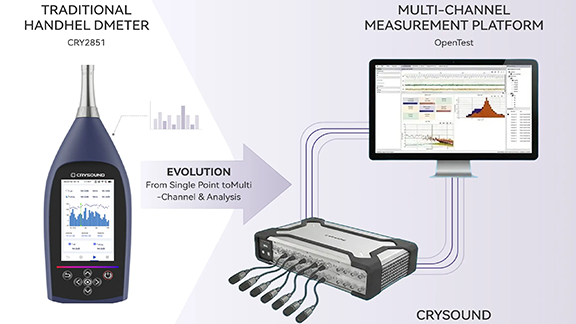
This article presents a multi-channel sound level meter developed on the OpenTest platform and designed to meet the technical requirements of IEC 61672-1. By integrating the SonoDAQ data acquisition system with measurement-grade microphones, the system implements standard A/C/Z frequency weightings, F/S/I time weightings, and enables accurate measurement of standard acoustic quantities such as Lp, Leq, and Ln. The solution is applicable to a wide range of scenarios, including environmental noise monitoring, product noise testing, and automotive NVH applications. From Handheld Sound Level Meters to Multi-Channel Sound Level Measurement Platforms In acoustics and vibration testing, one fundamental question appears in almost every project: “How loud is it?” From office equipment and household appliances to automotive NVH and industrial machinery, regulations, standards, and internal quality criteria all rely on quantitative evaluation of Sound Pressure Level (SPL). Traditionally, this is done using a handheld sound level meter compliant with IEC 61672, placed at a specified position to read an A-weighted sound level for compliance checks and quality verification. IEC 61672 defines detailed requirements for sound level meters in terms of frequency weighting, time weighting, linearity, self-noise, and dynamic range, and classifies instruments into Class 1 and Class 2, with Class 1 having stricter requirements and being suitable for laboratory and type-approval testing. As product structures and test requirements evolve, engineers increasingly expect more than what a single handheld meter can offer: Measure multiple positions simultaneously to compare different locations or operating points Combine sound level data with spectra and octave-band analysis to quickly identify problematic frequency regions Synchronize sound level measurement with speed, vibration, temperature, and other physical quantities for NVH diagnostics Integrate sound level measurement into automated and batch test workflows, rather than relying on manual spot checks This leads to the demand for multi-channel sound level meters: systems that not only meet IEC 61672-1 Class 1 accuracy requirements, but also provide multi-channel capability, scalability, and automation. OpenTest, developed by CRYSOUND, is a new-generation acoustic and vibration test platform. Its dedicated Sound Level Measurement module, combined with CRY5820 SonoDAQ Pro front-end hardware and measurement microphones, enables multi-channel sound level measurements consistent with Class 1 sound level meters. Figure 1. From handheld sound level meters to multi-channel sound level measurement platforms IEC 61672: What Are We Actually Measuring? Meaning of Sound Pressure Level (Lp) Sound Pressure Level (SPL) is a logarithmic measure of the root-mean-square sound pressure prms relative to the reference pressure p0, which is 20 μPa in air, defined as: When prms=1 Pa, the SPL is approximately 94 dB, which is why 94 dB / 1 kHz is commonly used as the reference level for acoustic calibrators. Frequency Weighting: A / C / Z Human hearing sensitivity varies with frequency. IEC 61672 requires all sound level meters to support A-weighting, while Class 1 instruments must also support C-weighting. Z-weighting (Zero weighting, i.e. flat response) is optional. A-weighting (dB(A))Based on the 40-phon equal-loudness contour, with significant attenuation at low and very high frequencies. It is widely used in regulations and standards as an indicator correlated with perceived loudness. C-weighting (dB(C))Much flatter than A-weighting, with less low-frequency attenuation. It is suitable for evaluating peak levels, mechanical noise, and high-level events. Z-weighting (dB(Z))Essentially flat within the specified bandwidth, preserving the original spectral energy distribution, and useful for detailed analysis. While A-weighting dominates regulations, it is not a perfect psychoacoustic model. In cases involving strong low-frequency content, modulation, or tonal components, A-weighted levels may underestimate perceived annoyance.For design and diagnostic work, it is therefore recommended to combine C/Z weighting, octave-band spectra, and sound quality metrics. Time Weighting: Fast / Slow / Impulse IEC 61672 defines the following time weightings: F (Fast): time constant ≈ 125 ms, suitable for rapidly fluctuating sound levels S (Slow): time constant ≈ 1 s, suitable for observing overall trends I (Impulse): designed for impulsive signals, more sensitive to short-duration peaks Common sound level descriptors include: LAF / LAS / LAI: A-weighted sound levels with Fast / Slow / Impulse time weighting LCpeak: C-weighted peak sound level Energy-Based and Statistical Quantities: Leq, SEL, Ln IEC 61672 also defines commonly used acoustic quantities: Leq,T / LAeq,TEquivalent continuous sound level over a time period T, widely used in environmental and product noise evaluation. Sound exposure and sound exposure level: E, LE / LAE (SEL)Represent the total sound energy of an event, commonly used for aircraft, traffic, and single-event noise evaluation. Lmax / Lmin: Maximum and minimum sound levels under a specified time weighting Lpeak (typically LCpeak): Peak sound level based on peak sound pressure Statistical levels Ln (L10, L50, L90, etc.)Levels exceeded for n% of the measurement time, commonly used in environmental noise analysis. Band Levels: Octave and 1/3-Octave Bands Although octave-band filters are specified in IEC 61260, IEC 61672 aligns with them in terms of frequency response and standard center frequencies. Common analyses include: 1-octave band levels (e.g. 31.5 Hz–16 kHz) 1/3-octave band levels, offering finer frequency resolution for identifying narrow-band noise and structural resonances Together, these quantities define the full scope of sound level measurement—from instantaneous readings to time-averaged values, and from broadband levels to frequency-resolved analysis. Sound Level Measurement with OpenTest Setup: Building the Signal Chain from Source to Software Hardware Preparation Data acquisition front-endFor example, CRY5820 SonoDAQ Pro, a modular multi-channel data acquisition system supporting 4–24 channels per unit and scalable to thousands of channels. It features 32-bit ADCs, up to 170 dB dynamic range, 1000 V channel isolation, and ≤100 ns PTP/GPS synchronization accuracy, suitable for both laboratory and field acoustic and vibration testing. SensorsOne or more measurement-grade microphone sets (with preamplifiers), positioned at representative measurement or listening locations. Computer and softwareA PC with OpenTest installed and the Sound Level Measurement module licensed. Connecting Devices and Channels in OpenTest Launch OpenTest and create a new project. In Hardware Settings, click “+”; available devices (including those connected via openDAQ or ASIO) are automatically detected. Select the required acquisition devices (e.g. SonoDAQ) and add them to the project. In Channel Settings, add the microphone channels and configure sampling rate and input range. At this point, the signal chain Sound source → Microphone → DAQ → OpenTest is fully established. Calibration: Setting the Acoustic Reference To ensure absolute accuracy, each channel must be calibrated using a Class 1 acoustic calibrator. Open the Calibration dialog in OpenTest. Select the microphone channels to be calibrated. Mount the calibrator on the microphone and start calibration. Once the reading stabilizes, complete the calibration. OpenTest automatically updates the channel sensitivity so that the 94 dB SPL reference point is aligned. For comparison tests, a handheld sound level meter (e.g. CRY2851) can be calibrated using the same calibrator (e.g. CRY3018) to ensure both systems share the same acoustic reference. Measurement: Acquiring Sound Level Time Histories Switch to the Sound Level Meter module in OpenTest and select: Measurement channels Quantities to compute (Lp, Leq, Ln, etc.) Frequency weighting (A / C / Z, computed simultaneously) Typical operating conditions may include: Idle Typical load Full load For each condition: Stabilize the DUT at the target operating state. Start measurement in OpenTest. Monitor sound level time histories, octave-band plots, and FFT spectra in real time. Stop after sufficient duration and name the dataset accordingly. Each measurement is automatically saved as a dataset for later comparison and analysis. Figure 2. Multi-channel sound level measurement using OpenTest Reporting: From Data to Traceable Documentation After measurements, OpenTest’s reporting function can be used to generate structured reports: Project information, DUT details, operating conditions Selected acoustic quantities (Leq, Lmax, LCpeak, Ln, etc.) Company logo and test personnel information Raw waveforms and analysis results can also be exported for archiving or further processing. Figure 3. OpenTest sound level measurement report Comparison with CRY2851 Handheld Sound Level Meter CRY2851 is a Class 1 sound level meter compliant with IEC 61672-1:2013, supporting A/C/Z weighting, F/S/I time weighting, and a full set of acoustic parameters. Comparison procedure: Environment and operating conditionsLow-background laboratory or semi-anechoic room; multiple operating states. Calibration consistencyBoth systems calibrated with the same Class 1 calibrator (94 dB or 114 dB at 1 kHz). Sensor placement and acquisitionMicrophones positioned as closely as possible at the same measurement point. Result comparisonCompare LAeq, LAF, LCpeak, and other key parameters under identical weighting and time windows. Figure 4. CRY2851 vs. OpenTest multi-channel sound level measurement Typical Applications of the Sound Level Measurement Module Consumer Electronics / IT Equipment Evaluate the impact of cooling strategies on LAeq and LAFmax Combine sound level limits with sound power measurements Integrate FFT, 1/3-octave, and sound quality metrics Automotive NVH / Interior Acoustics Multi-position sound level measurement in the cabin Comparison across driving conditions Coupling with order analysis and sound quality modules Household Appliances and Industrial Machinery Supplement sound power tests with multi-point sound level monitoring Integrate into production lines using sequence mode Identify problematic frequency bands via 1/3-octave analysis Environmental and Long-Term Monitoring Multi-point statistical sound level evaluation (L10, L50, L90) Long-term data logging and remote access If you are already familiar with handheld sound level meters, the OpenTest Sound Level Measurement module effectively upgrades them into a system that is: Multi-channel Traceable (raw data + analysis + reports) Expandable, working seamlessly with sound power, sound quality, FFT, and octave-band analysis modules, and supporting automated test workflows. Welcome to fill in the form below ↓ to contact us and book a demo and trial of the OpenTest Sound Level Meter module. You can also visit the OpenTest website at www.opentest.com to learn more about its features and application cases.
Sound Quality
Learn how to measure Loudness (ISO 532-1), Sharpness, and Tonality (ECMA-74) with OpenTest — free, open-source software. Step-by-step guide for automotive NVH, consumer electronics & home appliances engineers. This article is for engineers working in acoustics and vibration testing. It introduces how to perform sound quality measurements in OpenTest based on the ISO 532 loudness standard and the ECMA-74 tonality evaluation methods. By measuring and comparing three key psychoacoustic metrics — Loudness, Sharpness, and Prominence (Tonality) — teams in consumer electronics, automotive NVH, home appliances and IT equipment can turn “how good or bad it sounds” into quantitative engineering data, and complete a standardized sound quality workflow on a single platform from data acquisition, through analysis, to reporting. Why Sound Quality Measurements Matter In traditional noise testing, we usually rely on dB values to describe how “loud” a device is. But more and more studies and real-world projects are reminding engineers that “loudness” is only part of the story. In automotive NVH, home appliances, IT equipment and consumer electronics, user acceptance of product sound depends much more on whether it sounds pleasant, sharp, tiring or annoying, not just the overall sound pressure level. Industry surveys also show that most manufacturers now treat “how good it sounds” as being just as important as “how quiet it is”, and they start paying attention to sound quality already in early design phases. At the same sound level, poor sound quality can significantly drag down overall product satisfaction. This is exactly why Sound Quality as a discipline exists: through a set of psychoacoustic metrics such as Loudness, Sharpness and Tonality/Prominence, it turns subjective impressions like “sharp”, “boomy”, “harsh” or “smooth” into data that is measurable, comparable and traceable, so engineering teams can go beyond noise control and truly design and optimize product sound around listening experience. Key Metrics in Sound Quality Measurement In engineering practice, sound quality is not a single number, but a set of psychoacoustic quantities. Commonly used metrics include Loudness, Sharpness, Roughness, Fluctuation Strength, Prominence/Tonality, etc. Figure 1 – Key metrics in sound quality measurement Loudness (ISO 532-1) Loudness and Loudness Level describe how loud a sound is perceived by the human ear, rather than just its sound pressure level in dB. Internationally, the ISO 532-1:2017 standard based on the Zwicker method is widely used for loudness calculation. It can handle both stationary and time-varying sounds and correlates well with subjective perception in many technical noise applications. From an engineering point of view, loudness has clear advantages over A-weighted SPL: It accounts for the ear’s different sensitivity to frequency (human hearing is more sensitive in the mid-high range) At the same dB level, loudness often tracks “does it feel loud or not?” more accurately Sharpness (DIN 45692) Sharpness reflects whether a sound is perceived as sharp or piercing. When the high-frequency content has a higher proportion, people tend to feel the sound is more “sharp” or “edgy”. Sharpness was standardized in DIN 45692:2009, and is typically calculated based on the specific loudness distribution from a loudness model, applying additional weighting in the higher Bark bands. The result is expressed in acum. In applications such as fans, compressors and e-drive whine, reducing sharpness often improves subjective comfort more effectively than just lowering the overall dB level. Roughness (asper) Roughness corresponds roughly to fast amplitude modulation in the 15–300 Hz range, which gives a “raspy, vibrating” impression — for example in certain inverter whines or gear whine where the sound feels like it is “shaking”. Unit: asper Classical definition: 1 asper corresponds to a 1 kHz, 60 dB pure tone amplitude-modulated at about 70 Hz with 100% modulation depth The deeper the modulation and the closer the modulation frequency is to the sensitive region (around 70 Hz), the higher the perceived roughness In engineering, roughness is often used to describe how much a sound feels like it is “buzzing” or “scratching”, and it is particularly relevant for subjective evaluation of technical noise in e-drive systems, gearboxes and compressors. Fluctuation Strength (vacil) Fluctuation Strength captures slower amplitude fluctuations — amplitudes that go up and down in the range of roughly 0.5–20 Hz, perceived as “pulsing” or “breathing”, with a typical peak sensitivity around 4 Hz. Unit: vacil A classical definition of 1 vacil: a 1 kHz, 60 dB pure tone with 4 Hz, 100% amplitude modulation In cabin idle “breathing noise”, or fans whose level periodically rises and falls, fluctuation strength is a key descriptor You can think of Fluctuation Strength and Roughness as two sides of the same “modulation” coin: Fluctuation Strength: slow modulation (a few Hz), perceived as “breathing” or “pulsing” Roughness: faster modulation (tens of Hz), perceived as “vibrating, raspy, grainy” Prominence / Tonality (ECMA-74) Many devices are not particularly loud overall, yet become extremely annoying because of one or two narrowband tonal components. These “sticking out tones” are usually quantified by Tonality / Prominence. In IT and information technology equipment noise, ECMA-74 specifies methods based on Tone-to-Noise Ratio (TNR) and Prominence Ratio (PR) to evaluate tonal prominence and to determine whether a spectral line is a “prominent tone”. Historically, these metrics come from psychoacoustic research and are now widely used in automotive, aerospace, home appliances and IT equipment to predict and optimize annoyance. For example, studies have shown that, with loudness controlled, Sharpness, Tonality and Fluctuation Strength are important predictors for the annoyance of helicopter noise. Why Sound Quality Is More Useful Than Just “Watching dB” In many projects, you may have already seen questions like these: Two fan designs have similar sound power levels, but one “sounds smooth” while the other has a clear whine After noise reduction, overall SPL is a few dB lower, but user feedback hardly improves On the production line, A-weighted SPL is used as the only criterion, and some “bad-sounding” units still slip through Fundamentally, that is because: Sound pressure level / sound power = “how much energy is there” Sound quality metrics = “how the ear feels about it” With metrics like Loudness, Sharpness, Roughness, Fluctuation Strength and Prominence, you can decompose vague complaints like “it just sounds uncomfortable” into: Which frequency region has too much energy (leading to high sharpness) Whether there is strong amplitude modulation (causing high roughness or fluctuation strength) Whether any tonal component is sticking out clearly above its surroundings (high tonality / prominence) In engineering iteration, these metrics can be mapped directly to: Structural optimization (stiffness, modes, blade shape, etc.) Control strategies (e.g. PWM frequency, fan speed curves and transitions) Material and noise treatment / isolation choices This gives you much clearer and more actionable directions than “just reduce dB”. Sound Quality Analysis in OpenTest As a platform for acoustics and vibration testing, OpenTest supports a complete sound quality workflow from acquisition → analysis → reporting. Fill in the form at the bottom ↓ of this page to contact us and get an OpenTest demo. Example Device: Office PC Fan Noise To make the process concrete, we use a very accessible device as our example: a typical office PC. Test objective: evaluate sound quality metrics of its fan noise under different operating conditions, in order to: Compare subjective noise performance of different cooling and fan control strategies Provide quantitative input to NVH reviews (e.g. does loudness exceed the target, is sharpness too high?) Build a foundation for further sound quality optimization (e.g. suppressing whine frequencies, smoothing speed transitions) Test environments might be: A semi-anechoic room / low-noise lab (recommended); or A quiet office environment for early-stage, comparative evaluation Measurement System: SonoDAQ + OpenTest Sound Quality Module On the hardware side, we use a CRYSOUND SonoDAQ multi-channel data acquisition system (for more detailed model information, please contact us), together with one or more measurement microphones placed near the PC fan or at the listening position, according to the test requirements. Figure 2 – SonoDAQ Pro multi-channel data acquisition system Of course, OpenTest also supports connection via openDAQ, ASIO, WASAPI and other mainstream audio interfaces, so you can reuse existing DAQ devices or audio interfaces for measurement where appropriate. On the software side, the Sound Quality module in OpenTest is one of the measurement modules. Combined with FFT analysis, octave analysis and sound level analysis, it can cover most standard audio and vibration test needs. Configuring Measurement Parameters After creating a new project in OpenTest, proceed as follows: 1. Channel configuration and calibration In Channel Setup, select the microphone channels to be used and set sensitivity, sampling rate and frequency weighting as required Use a sound calibrator (e.g. 1 kHz, 94 dB SPL) to calibrate the measurement microphones, ensuring that loudness and related metrics have a reliable absolute reference 2. Switch to the “Measure > Sound Quality” module Select the metrics to be calculated: Loudness, Sharpness, Prominence Set analysis bandwidth, frequency resolution and time averaging modes Optionally configure test duration and labels for different operating conditions Essentially, this step turns the “calculation definitions” in ISO 532, DIN 45692 and ECMA-74 into a reusable OpenTest sound quality scenario template. Acquiring Sound Data for Different Operating Conditions Once the test environment is set up and the parameters are configured, click Start to measure sound quality data under different operating conditions. Each test record is saved automatically for later analysis. Because sound quality focuses on how it sounds during real use, it is recommended to record several typical conditions, for example: Idle / standby (fan off or low speed) Typical office load (documents, multi-tab browsing, etc.) High load / stress test (CPU/GPU at full load) With this breakdown, engineers can clearly manage which sound quality result corresponds to which operating condition. Figure 3 – Overlaying multiple sound quality test records in OpenTest From Multiple Measurements to One Sound Quality Report After measuring multiple operating conditions (e.g. idle, typical office and full-load stress test), you can do the following in OpenTest. In the data set list, select the records you want to compare and overlay: Compare loudness curves under different conditions See whether sharpness spikes during acceleration or speed transitions Identify conditions where prominent narrowband tones appear (high prominence) In the Data Selector, save the associated waveforms and analysis results: Export .wav files for later listening tests or subjective evaluations Export .csv / Excel for further statistics or modelling Click the Report button in the toolbar: Enter project, DUT and operating condition information Select sound quality metrics and plots to include (e.g. loudness vs. time, bar charts of sharpness, spectra with marked tonal prominence) Generate a sound quality report with one click for internal review or customer submission Figure 4 – Example of a sound quality report in OpenTest The generated report includes measurement conditions and operating modes, key sound quality metrics such as Loudness, Sharpness and Prominence, as well as a comparison with traditional acoustic metrics (sound pressure level, 1/3-octave spectra, sound power, etc.), making it easier for project teams to discuss using a set of metrics that are both objective and closely related to perceived sound. Typical Application Scenarios You can build different sound quality test scenarios in OpenTest for different businesses, for example: Consumer electronics / IT equipment (laptops, routers, fans, etc.) Use loudness + sharpness + (where applicable) roughness to evaluate the “subjective comfort” of different thermal / fan strategies Compare sound quality across different speed curves or PWM schemes Automotive NVH / e-drive systems Use multi-channel acquisition to record interior noise and speed signals synchronously Combine order analysis with sound quality metrics to see how “sharp” an e-drive whine is and whether there is pronounced modulation causing roughness Home appliances and industrial equipment When sound power already meets standards, use sound quality metrics to further screen for “annoying noise”, instead of relying only on dB If you are building or upgrading your sound quality testing capabilities, you can use ISO 532 and ECMA-74 as the backbone and let OpenTest connect environment, acquisition, analysis and reporting into a repeatable chain. That way, each sound quality test is clearly traceable and much more likely to evolve from a single experiment into a long-term engineering asset. Welcome to fill in the form below ↓ to contact us and book a demo and trial of the OpenTest Sound Quality module. You can also visit the OpenTest website at www.opentest.com to learn more about its features and application cases.
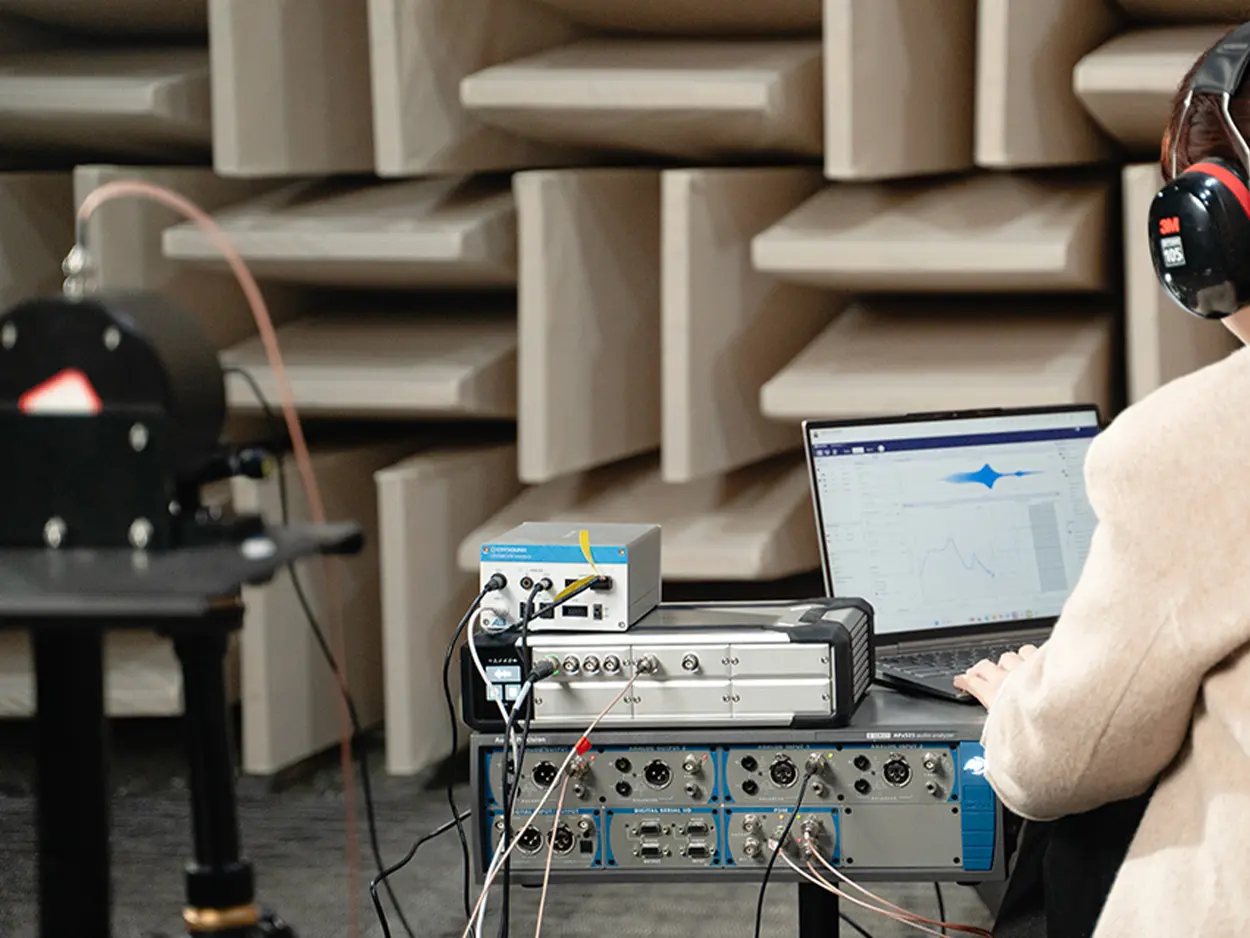
CRY580 A²B Interface is a bidirectional bridge designed to connect the A²B (Automotive Audio Bus) ecosystem with standard test & measurement setups (e.g., SonoDAQ, CRY6151B, Audio Precision). This article explains what makes A²B testing challenging—most analyzers don’t have a native A²B interface—and how CRY580 solves it by encoding/decoding A²B streams and converting them into measurable Analog or S/PDIF outputs, while supporting multi-channel I²S/TDM audio paths for fast, repeatable validation. Faster Automotive Audio Testing with CRY580 One bidirectional A²B bridge for testing: apply an analog/digital test stimulus for A²B amplifier testing, and bring A²B microphone or accelerometer sensor streams out as analog or S/PDIF for measurement. The A²B Audio Bus Is Reshaping In-Vehicle Audio A²B technology enables cost-effective audio data transport over long distances, combining multichannel audio (I²S/TDM), control (I²C), and power delivery over affordable cabling. Bidirectional data transfer at 50 Mbps bandwidth Low and deterministic latency(50 µs) System-level diagnostics Slave nodes can be locally-powered or bus-powered Programmable using ADI's SigmaStudio® GUI Uses cost-effective cables(unshielded twisted pair) The Testing Pain: A²B Adds Performance—And Complexity Traditional audio analyzers do not include A²B interfaces, making it impossible to directly test A²B devices. To perform accurate testing, a dedicated A²B codec is required to decode and convert A²B audio signals into standard analog or digital formats for measurement and analysis. How Bridging to Measurements Works in Practice How A²B Technology and Digital Microphones Enable Superior Performance in Emerging Automotive Applications A²B Microphone A²B Accelerometer A²B Amplifier "Bridging" in practice means converting A²B audio signals into standard analog or digital formats for testing: for A²B amplifier testing, injecting analog/digital stimulus into the A²B bus; and for A²B sensor testing, extracting A²B audio data to analog or S/PDIF for measurement. The CRY580 serves as the ideal bidirectional test bridge, facilitating seamless conversion and measurement in both directions. Introducing CRY580: An A²B Interface Built for Automotive Testing The CRY580 is a versatile A²B interface designed to seamlessly bridge A²B networks with testing equipment. It provides both decoding and encoding capabilities, allowing for the efficient transfer of audio data between A²B devices and standard measurement systems. Whether you're testing A²B microphones, amplifiers, or sensors, the CRY580 enables smooth and reliable testing workflows, ensuring accurate results across a range of automotive audio applications. Who Buys CRY580 and What They Test OEM / Tier1 Audio Teams: Integration, debugging, and acceptance testing across A²B networks. A²B Microphone & Mic-Array Suppliers: Sensitivity, frequency response (FR), and phase consistency checks. A²B Amplifier / Audio Processor Suppliers: Amplifier testing with injected stimuli, as well as mapping and performance verification. Test Labs: Standardized A²B measurement processes and delivery. Manufacturing / EOL QC: Repeatable pass/fail testing with faster fault isolation. Typical Test Setups: More Than Just an Interface At CRYSOUND, we provide more than just the CRY580 A²B interface. We offer a full automotive audio testing solution, including audio acquisition cards, microphones and sensors, acoustic sources, custom fixtures, acoustic test boxes, and vibration shakers, delivering a complete and streamlined testing experience. Here’s a description of the testing block diagram, including the use of the latest OpenTest Audio Test & Measurement Software https://opentest.com The CRY580 A²B Interface can be used in conjunction with the Audio Precision. Digital Interface Analog Interface "Performing A²B microphone performance tests (Frequency Response, THD+N, Phase, SNR, AOP) in an anechoic chamber, using the CRY5820 SonoDAQ Pro, CRY580 A²B Interface, and other equipment.” Why CRYSOUND: A Complete Automotive Audio Test Ecosystem The value of end-to-end delivery: reducing system integration time and minimizing coordination costs between multiple suppliers. We cover everything from R&D to production line testing. BOM list of the solution CRY580 bridges A²B to mainstream test & measurement setups in both directions, turning complex in-vehicle audio validation into a faster, repeatable workflow from R&D to end-of-line production. To discuss your use case, system configuration, or a demo, please fill out the Get in touch form below and we’ll reach out shortly.

Spatial audio performance can vary significantly across devices—even when similar audio algorithms are used. This article explains the role of the IMU in spatial audio, outlines key IMU testing challenges, and introduces CRYSOUND's production-ready IMU testing solution based on a three-axis, three-degree-of-freedom (3-DoF) rotary table. You'll learn the working principles, test flow, and application scenarios to help ensure stable and consistent spatial audio performance in mass production. The Role of IMU in Spatial Audio: From Hearing Sound to Perceiving Space In recent years, spatial audio has become a key feature in TWS earbuds, over-ear headphones, and AR/VR devices. Users now expect more than conventional stereo sound—they want to perceive sound direction and distance in a natural, three-dimensional space. When the head turns, the sound source should remain fixed in space; when the head tilts or nods, the sound field should respond accordingly. To achieve this effect, a device must not only render spatial audio content, but also accurately understand how the user's head is moving in real time. This capability is enabled by the IMU (Inertial Measurement Unit). An IMU integrates gyroscopes and accelerometers to measure angular velocity, acceleration, and orientation. In spatial audio systems, it serves as the core sensor that tracks head motion and feeds motion data into spatial audio algorithms. If the IMU lacks accuracy or stability, or if it does not align well with the audio algorithm, users may experience common issues such as: Response latency: the sound field lags behind head movement, causing discomfort or even mild dizziness; Tracking drift: sound positioning gradually shifts over time and no longer remains spatially fixed; Instability and jitter: noisy IMU output causes audible fluctuations in sound position. As immersive audio, AR experiences, and spatial communication continue to evolve, audio devices are transforming from simple playback tools into intelligent perception systems. As a result, IMU stability and test quality have become foundational requirements for next-generation spatial audio products. Three Major Challenges in IMU Testing for Spatial Audio Despite the importance of IMU performance, testing and validating IMUs is often underestimated during development and mass production. In practice, the industry commonly faces three core challenges: Lack of objective test methods tailored to spatial audio Traditional audio testing focuses on metrics such as frequency response, distortion, and sensitivity. These methods are not suitable for evaluating dynamic spatial perception, and subjective listening tests or manual motion checks lack objective and repeatable standards. Inability to reproduce real head movements with high precision Spatial audio relies heavily on head movements such as turning, nodding, and tilting. Manual rotation cannot maintain consistent angles or speeds, nor can it reliably repeat motion patterns across devices. Without precise and repeatable motion simulation, IMU issues may go undetected before products reach users. Low testing efficiency, making full inspection impractical Manual testing is time-consuming and inconsistent. In mass production, it often forces manufacturers to rely on sampling inspection instead of full inspection, increasing the risk of quality variation. At their core, these challenges stem from the absence of a controllable, repeatable, and quantifiable IMU orientation testing method. Overview of CRYSOUND's Spatial Audio IMU Testing Solution To address these challenges, CRYSOUND has developed an IMU testing solution specifically designed for spatial audio and smart wearable applications. The goal is to provide an objective, automated, and production-ready testing approach. The system consists of: PC-based test software for test control, data acquisition, and analysis; A three-degree-of-freedom rotary table for simulating head motion; Communication interfaces (such as a Bluetooth adapter) for data exchange; Shielded enclosure and customized fixtures to ensure stable connections and safe device mounting. During a typical test, the host software establishes a connection with the device under test via Bluetooth or a wired interface, then sends commands to enable IMU data output. The rotary table sequentially moves to predefined orientations, while IMU data is collected and compared against reference angles. The entire process is automated, requiring the operator only to place the device and start the test, minimizing training effort and human error. Key Hardware: Why a Three-DoF Rotary Table Is Ideal for IMU Testing In spatial audio IMU testing, a three-degree-of-freedom rotary table provides a highly controllable and production-friendly solution. It accurately reproduces head movements across all three orientation axes and ensures consistent motion paths through programmatic control. Compared with manual operation or simplified mechanical setups, a 3-DoF rotary table offers higher repeatability, better control over angle and speed, and more stable test cycles—making it well suited for mass production environments where consistency and throughput are critical. The three axes correspond to common head motions: Yaw axis: simulates left-right head rotation; Pitch axis: simulates nodding movements; Roll axis: simulates head tilting. The rotary table achieves an absolute positioning accuracy of ±0.05° and a repeatability of approximately ±0.06°, providing a reliable reference for evaluating IMU orientation accuracy. System Features: How the Solution Addresses Real Production Needs Building on this hardware and automated workflow, CRYSOUND's IMU testing solution delivers value in several key areas: High-precision motion simulationServo-driven control and three-axis motion allow precise and repeatable reproduction of head movements, eliminating the uncertainty inherent in manual testing. Controlled test speed and production throughputWith a maximum rotational speed of up to 200°/s and efficient Bluetooth communication, a six-orientation IMU test can be completed in approximately 60 seconds per unit, making full inspection feasible in production. Objective and quantifiable evaluationIMU output data is directly compared against known reference angles, reducing reliance on subjective judgment. Test results can be exported as reports or raw data and support MES integration for production tracking and quality analysis. Typical Application Scenarios This IMU testing solution is designed for manufacturers working with spatial audio and smart wearable products, including: Bluetooth earbuds and headphones, especially TWS and over-ear models with spatial audio features; VR controllers or devices requiring multi-orientation consistency checks; Smartphones and other consumer electronics requiring gyroscope validation; Smartwatches and fitness bands for IMU calibration and production testing. If you'd like to learn more about IMU testing—or discuss your blade process and inspection targets—please use the "Get in touch" form below. Our team can share recommended settings and an on-site workflow tailored to your production conditions.


