CRYSOUND POCKET Acoustic Imaging Camera Now Available on Kickstarter.

CRYSOUND POCKET Acoustic Imaging Camera Now Available on Kickstarter.


A2DP (Advanced Audio Distribution Profile) is the core Classic Bluetooth profile for high-quality audio streaming. This article provides an overview of how A2DP transmits music, explains its position in the Bluetooth protocol stack, and introduces a practical A2DP testing workflow using the CRY578 Bluetooth LE Audio Interface.
How Does A2DP Transmit Music?
A2DP is the core profile in Classic Bluetooth for the unidirectional transmission of high-quality audio streams. It primarily defines two roles: the audio Source and the audio Sink.
A2DP and the Bluetooth Protocol Stack
Thinking of A2DP as a high-speed logistics channel that "delivers" music from one device to another, the diagram above illustrates the division of responsibilities from the moment audio is generated to the point it is transmitted wirelessly.
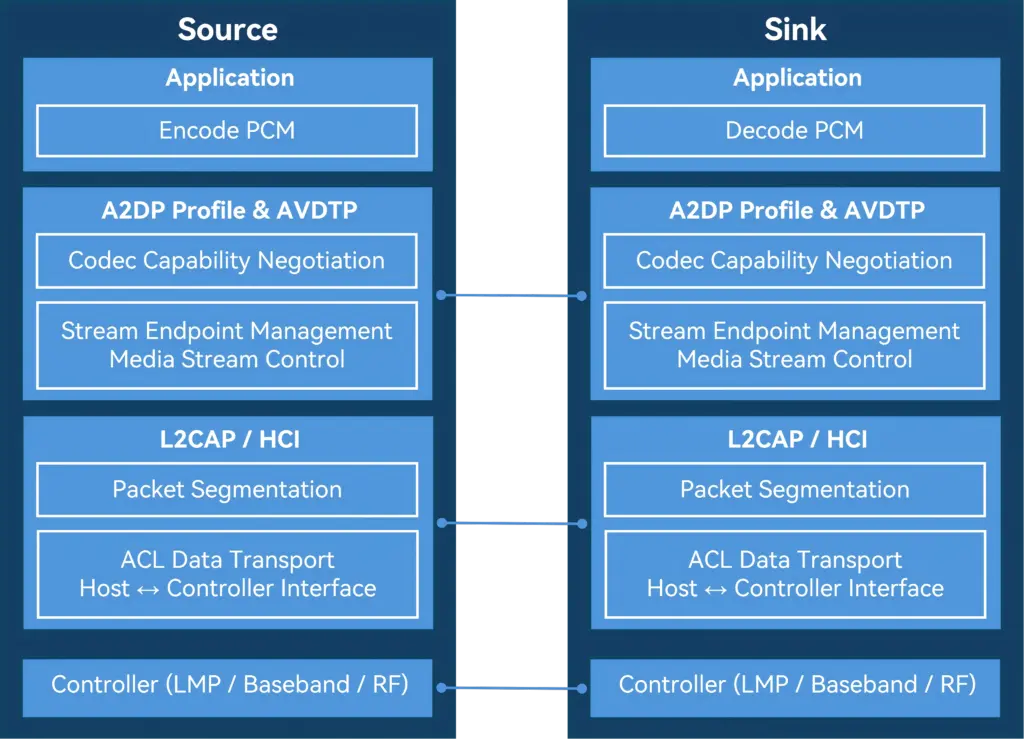
At the top of the stack, the Application / Audio Source (or Audio Sink) layer acts as the "content factory" and "player".
On the transmitting side, it obtains PCM audio data from the system and encodes it into Bluetooth-supported formats such as SBC or AAC. On the receiving side, it decodes the bitstream back into audio for playback. This layer directly determines the perceived audio quality-akin to the quality of raw materials and finished products-which users experience most intuitively.
Below this is the A2DP Profile layer, which functions as a "cooperation agreement". It defines which device acts as the Source and which as the Sink, along with the supported codecs, sampling rates, and other parameters. The profile itself does not carry audio data; instead, it ensures both sides agree on "what format to use and how to transmit" before streaming begins.
The next layer down is AVDTP, the "transport and scheduling control center". AVDTP is responsible for establishing and managing audio streams. It translates user actions-such as play, pause, and stop-into explicit protocol procedures and sends the encoded audio data over the media channel. The smooth operation of A2DP in practice largely depends on this layer.
Below AVDTP is L2CAP, which acts as a standardized "containerized transport system". Both audio data and control information are segmented, encapsulated, reassembled, and multiplexed here. They are then delivered in an orderly fashion to the lower layers, ensuring stable and reliable transmission over a single Bluetooth link.
At the bottom, the LMP, Baseband, and RF layers form the system's "roads, vehicles, and radio infrastructure." They handle device pairing, link management, and the actual wireless transmission, converting all upper-layer data into bitstreams over the Bluetooth air interface.
Viewed from top to bottom, the A2DP protocol stack exhibits a clear downward flow: the upper layers focus on the audio content itself, while the lower layers handle wireless data delivery. This strict separation of responsibilities is what allows us to enjoy stable and continuous music playback through Bluetooth headphones.
How to Test A2DP Functionality with CRY578?
The CRY578 Bluetooth LE Audio Interface is CRYSOUND's latest test interface dedicated to Bluetooth audio and user-interface testing. Based on Bluetooth v5.4, the CRY578 supports both Classic Bluetooth and Bluetooth Low Energy audio simultaneously, making it suitable for use in both R&D laboratories and production-line testing.
Building an A2DP Test Environment
CRYSOUND provides a complete Bluetooth audio test solution, including both hardware and software, to support A2DP testing.
In the CRYSOUND Bluetooth audio test system, the components are as follows:
- CRY578 acts as the Bluetooth Source, responsible for device discovery, connection, and audio transmission.
- DUT (Device Under Test) acts as the Bluetooth Sink, receiving, decoding, and playing the audio stream.
- B&K HATS simulates human acoustic characteristics, captures audio signals, and converts them into analog signals for the acquisition system.
- SonoDAQ + OpenTest (https://opentest.com) perform data acquisition and analysis, evaluating DUT performance based on the test results.
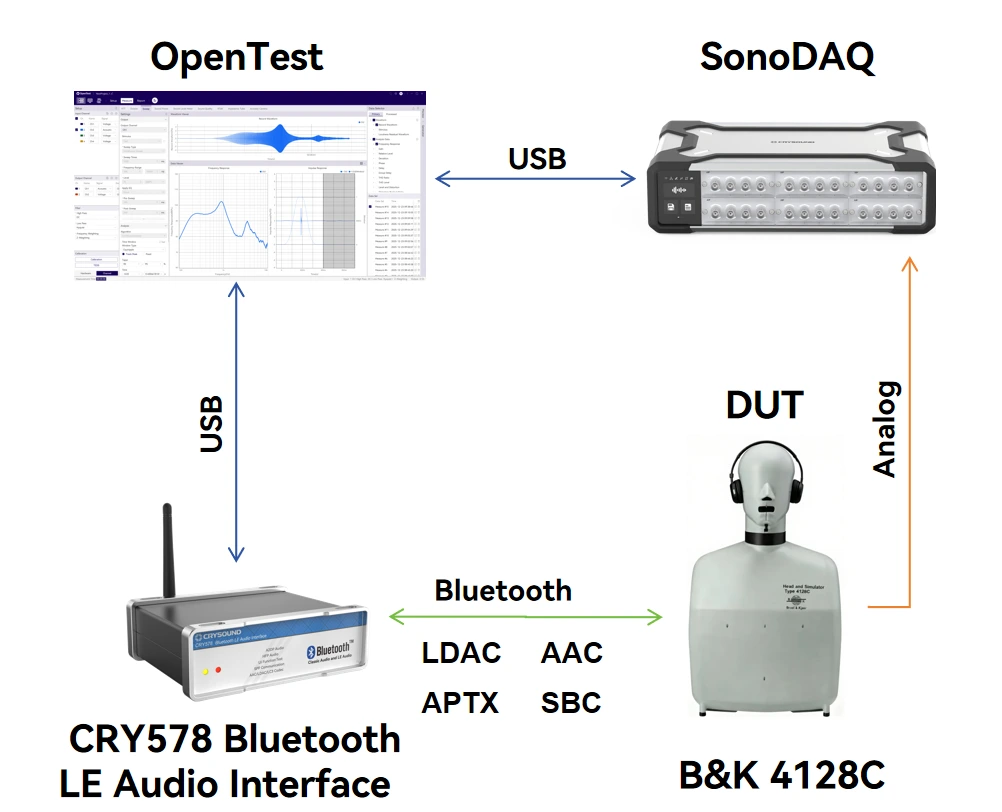
In this setup, the CRY578 can be controlled either via its PC software (Bluetooth LE Audio Interface) or through serial commands to scan for nearby Bluetooth devices and establish connections. Standard test signals-such as sweeps, noise, and distortion signals-are played from the PC. The acoustic output from the DUT is captured and analyzed by OpenTest to evaluate performance metrics such as frequency response, distortion, and signal-to-noise ratio. The CRY578 also supports switching to high-quality codecs such as AAC and LDAC, as well as multiple sampling rates, for comprehensive testing.
A2DP Test Procedure
- Establish the Bluetooth Connection
At the beginning of the test, a Bluetooth connection must be established between the CRY578 (acting as the A2DP Source) and the DUT (acting as the A2DP Sink).
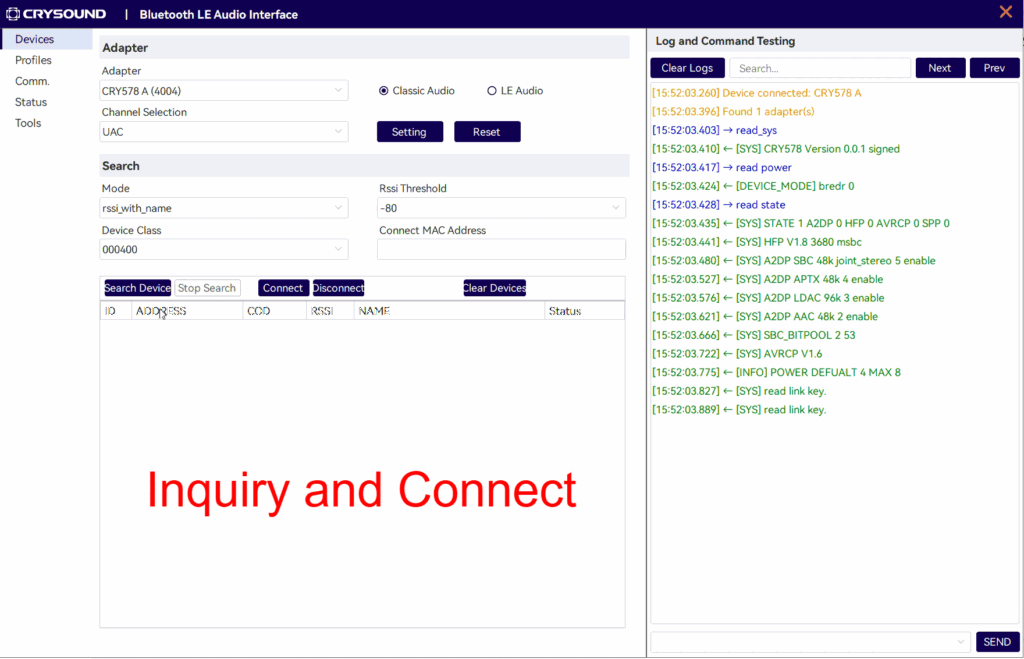
The connection process includes device discovery and pairing, ACL link establishment, A2DP profile setup, and codec capability negotiation.
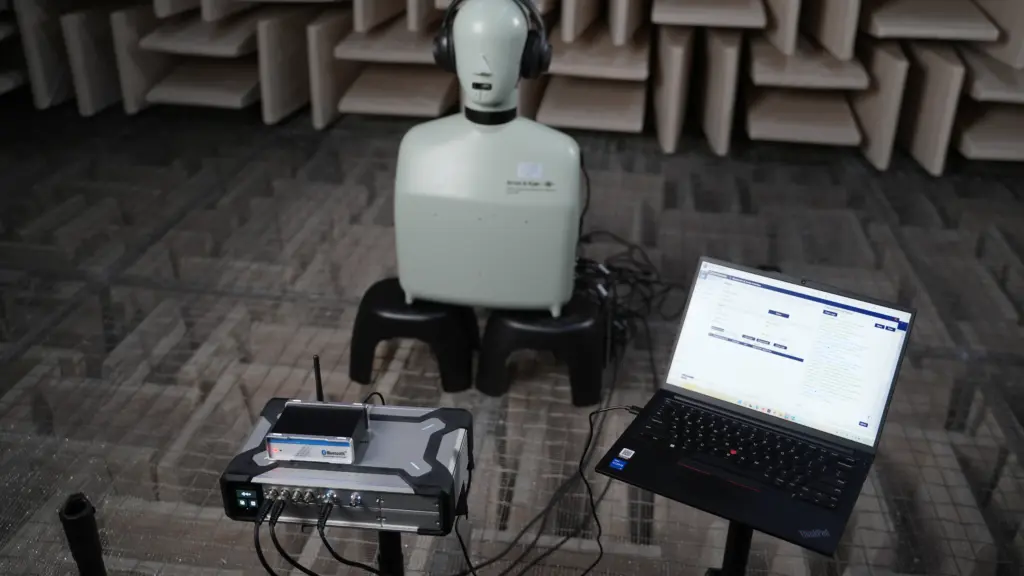
- Test Signal Generation from the Host PC
Audio test software, such as OpenTest or SonoLab, generates standard signals like single-tone sine waves or sweeps. These signals are sent as PCM data to the CRY578 via a USB Audio Class (UAC) link.
- Audio Transmission via Bluetooth by CRY578
The continuous PCM audio stream is first segmented into fixed-size frames, which are then passed to an encoder (e.g., SBC or AAC) for compression, producing encoded frames. These frames are encapsulated into AVDTP media PDUs according to the A2DP specification. The PDUs are segmented and multiplexed by L2CAP, passed through the HCI interface to the Bluetooth controller, packaged as ACL packets at the baseband layer, and finally transmitted over the Bluetooth RF link.
- Decoding and Playback by the DUT
The DUT performs the reverse process of the CRY578's transmission chain. The Bluetooth packets are decoded back into PCM data, which is then converted to analog signals by a DAC and output through the speaker.
- Acoustic Capture by B&K HATS
The high-precision microphones built into B&K HATS capture the sound produced by the DUT and convert it into analog signals.
- Data Processing and Analysis with SonoDAQ + OpenTest
SonoDAQ digitizes the analog signals and sends them to OpenTest. OpenTest then applies its internal algorithms to analyze the audio data and generate results-such as frequency response and distortion measurements. These results are then used to determine if the DUT meets the performance requirements.
The Value of Bluetooth Protocol Analyzers in Testing
During testing, audio data undergoes multiple digital-to-analog conversions, RF transmission, and acoustic-to-electrical conversion. An issue at any stage can affect the final test results. Once problems in the analog and digital signal paths have been ruled out, the root cause often lies in the Bluetooth RF transmission. In such cases, a Bluetooth protocol analyzer becomes an effective tool for pinpointing the exact issue.
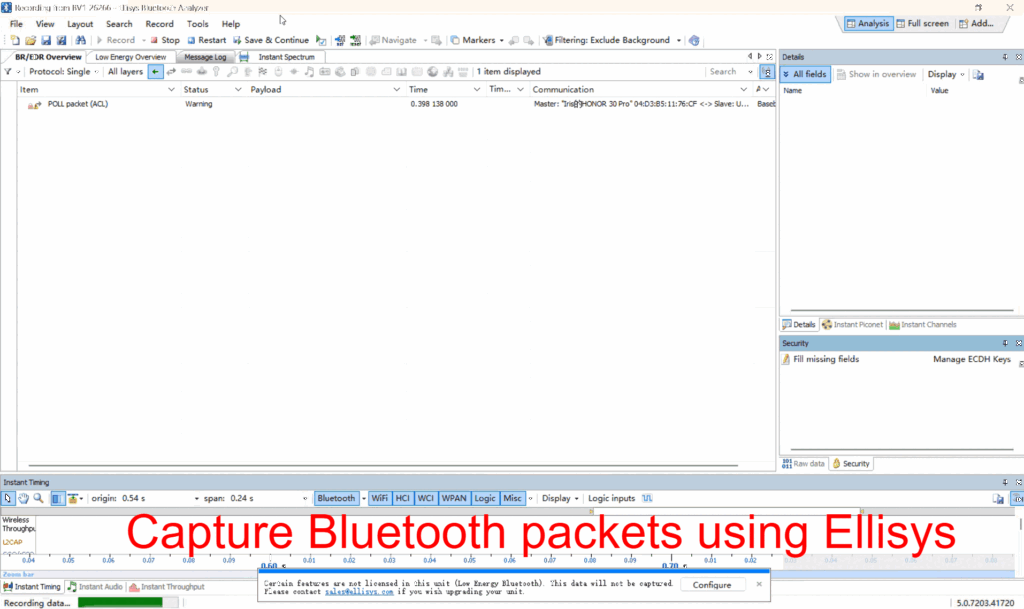
If you are interested in Bluetooth audio testing, please visit CRY578 Bluetooth LE Audio Interface to learn more or fill out the Get in touch form below and we'll reach out shortly.
NEW
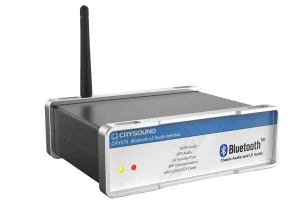
CRY578 Bluetooth LE Audio Interface
Bluetooth Version
v5.4
Profile
A2DP Source V1.3, AVRCP Target/Controller V1.6, HFP Hands Free/Audio Gateway V1.7, HSP Headset/Audio Gateway V1.2
Codec
SBC, AAC, aptX, LDAC, LC3, mSBC, CVSD
NEW
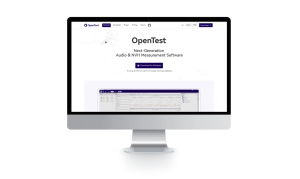
OpenTest
Mode
Measure Mode, Analysis Mode, Sequence Mode
Monitor
Scope, FFT Spectrum, Spectrogram,RMS Level, DC Level, Peak Level, THD Ratio, THD+N Ratio, Crosstalk, etc.
Measure
FFT Analysis, Octave Analysis, Continuous Sweep, Stepped Frequency Sweep, Sound Power Testing, Sound Level Meter, Sound Quality, etc.
SonoLab Acoustic Analysis Software
Earphone
ANC, ENC, SPKEQ, Background and current noise test, Hearing test, Functionality of earphone
Other
Directional testing, Noise and vibration, Open-loop play and acquisition, Device calibration, Scan SN, Automated validation with limits, MES function, Automation, Data saving, Authorization, Sequence properties, Single-step test
Transmission method
Customized communication, Wired connection, Bluetooth, HID, ADB, TCP/IP, Plug-in application, Serial ports
NEW
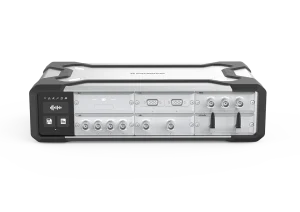
SonoDAQ Pro
lsolation
1000V
Channel
24 channels/Mainframe
Interface
USB-C / 2 x GLAN / 2 x CAN FD / WIFI


